Multiple Accounts Per User
Last updated
Table of Contents
DNSimple allows a user to be associated with multiple accounts. If you cannot find a domain you expect to see, it may be in a different account. See I Can’t Find My Domain for troubleshooting steps.
This happens in two cases:
- The user is added as a member to an existing account.
- The user creates another account under their existing user profile.
Managing multiple accounts is a flexible way to access different levels of service and share domain management with other users. For how users, accounts, and members relate, see Users, Accounts, and Members at DNSimple. If you are an agency or freelancer giving each client their own DNSimple account, see Creating Accounts for Clients. If you want to invite another user to manage domains on your account, see Managing Seats and Domain Access Control.
Creating a separate account
To create another account under your user profile
-
Click the account switcher at the top-right corner of the screen, then select .

-
Scroll down to the card, and click .
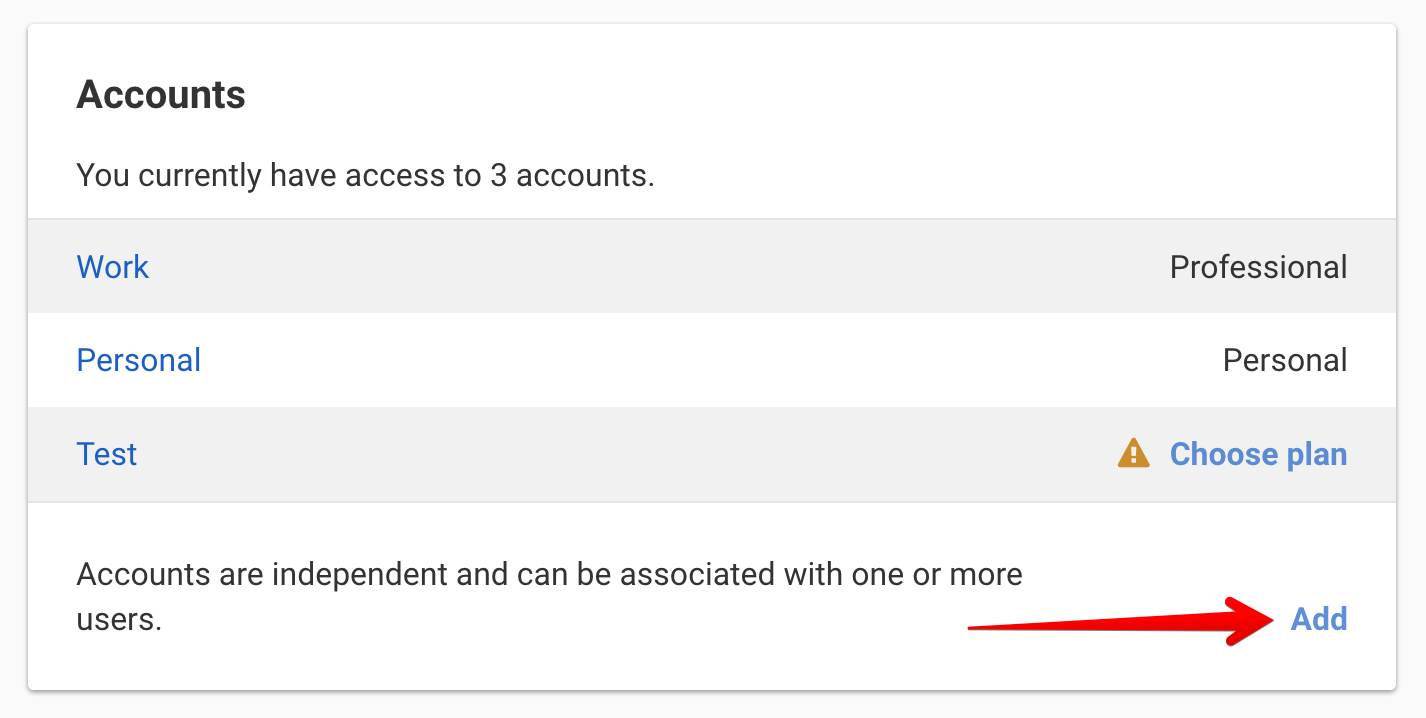
- Alternatively, click from your dashboard to open the new account creation form.
-
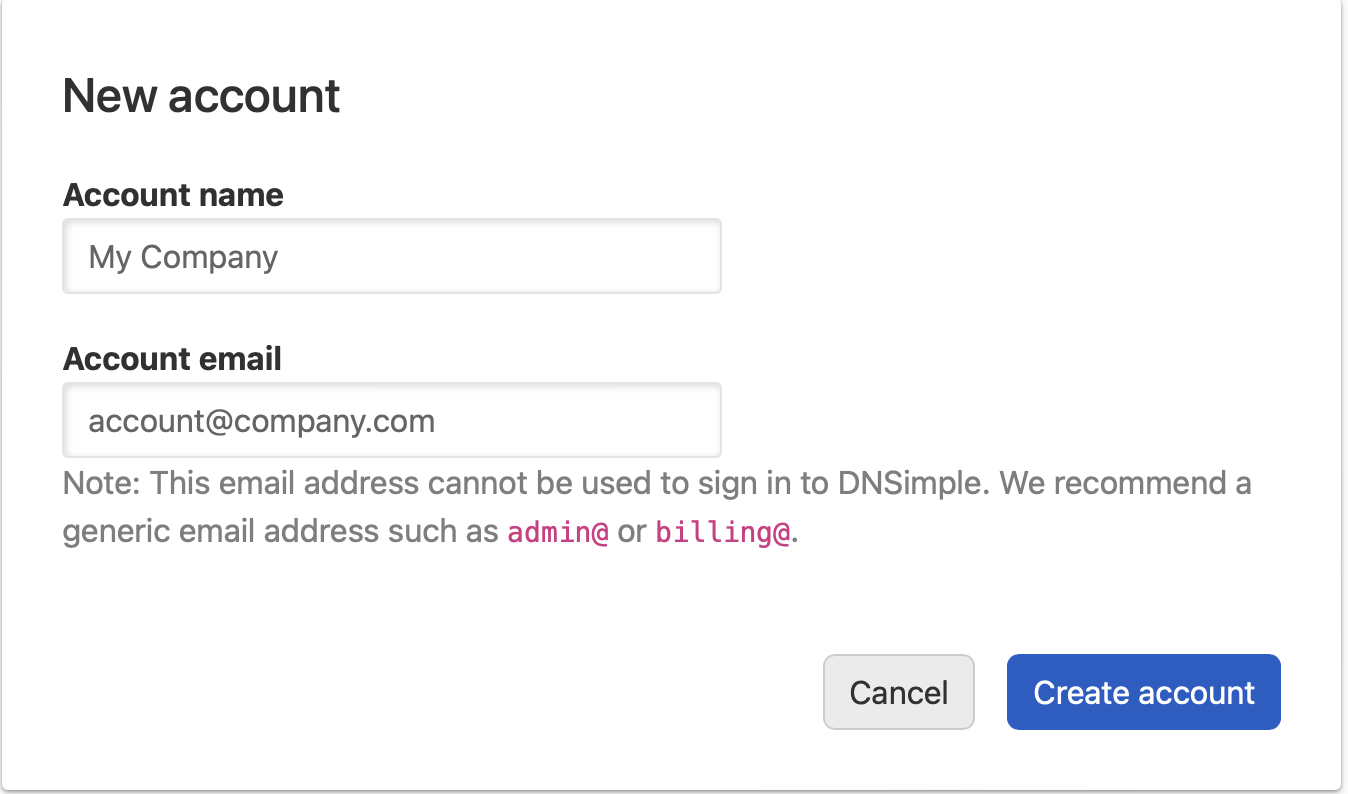
Fill in the form with the details for your new account, then click .
-
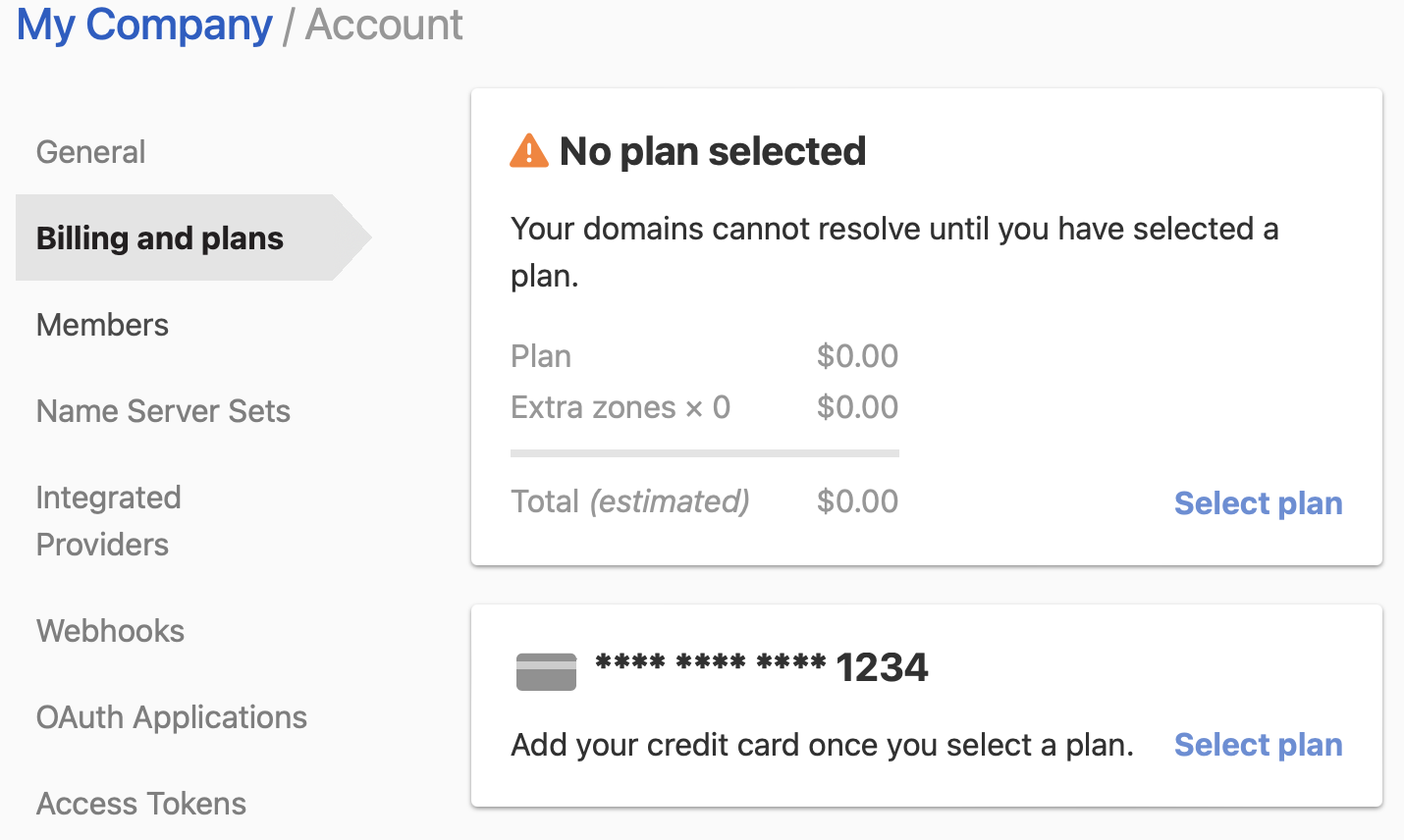
After the account is created, activate it by opening the tab, clicking , and following the steps to choose a plan.
Switching among accounts
To switch between accounts
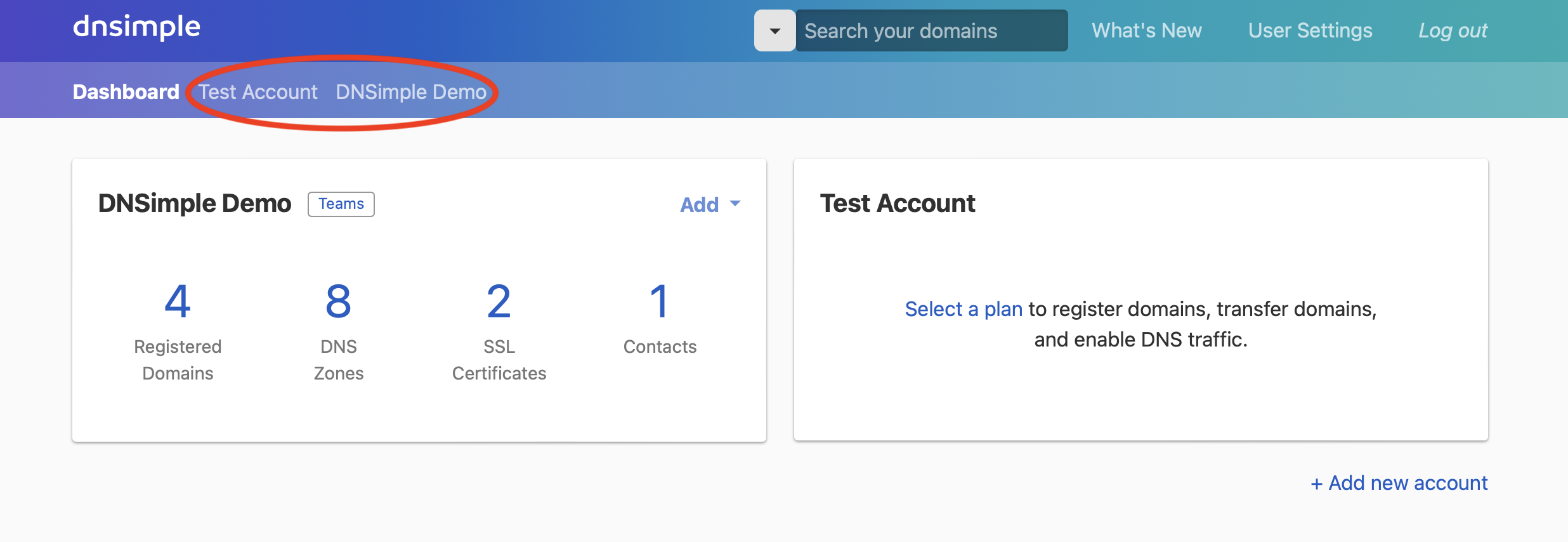
- Click the account switcher at the top-right corner of the screen.
- Select the account you want to view.
- The dashboard will update to show the domains and settings associated with that account.
To open for the selected account, click the gear icon next to the account name.
Have more questions?
If you have questions about creating a second account or managing multiple accounts under one user, contact support, and we will be happy to help.