SRV records in templates
Last updated
Table of Contents
- SRV record components
- How to enter them in a template
- Pointing an SRV target at the domain apex
- Have more questions?
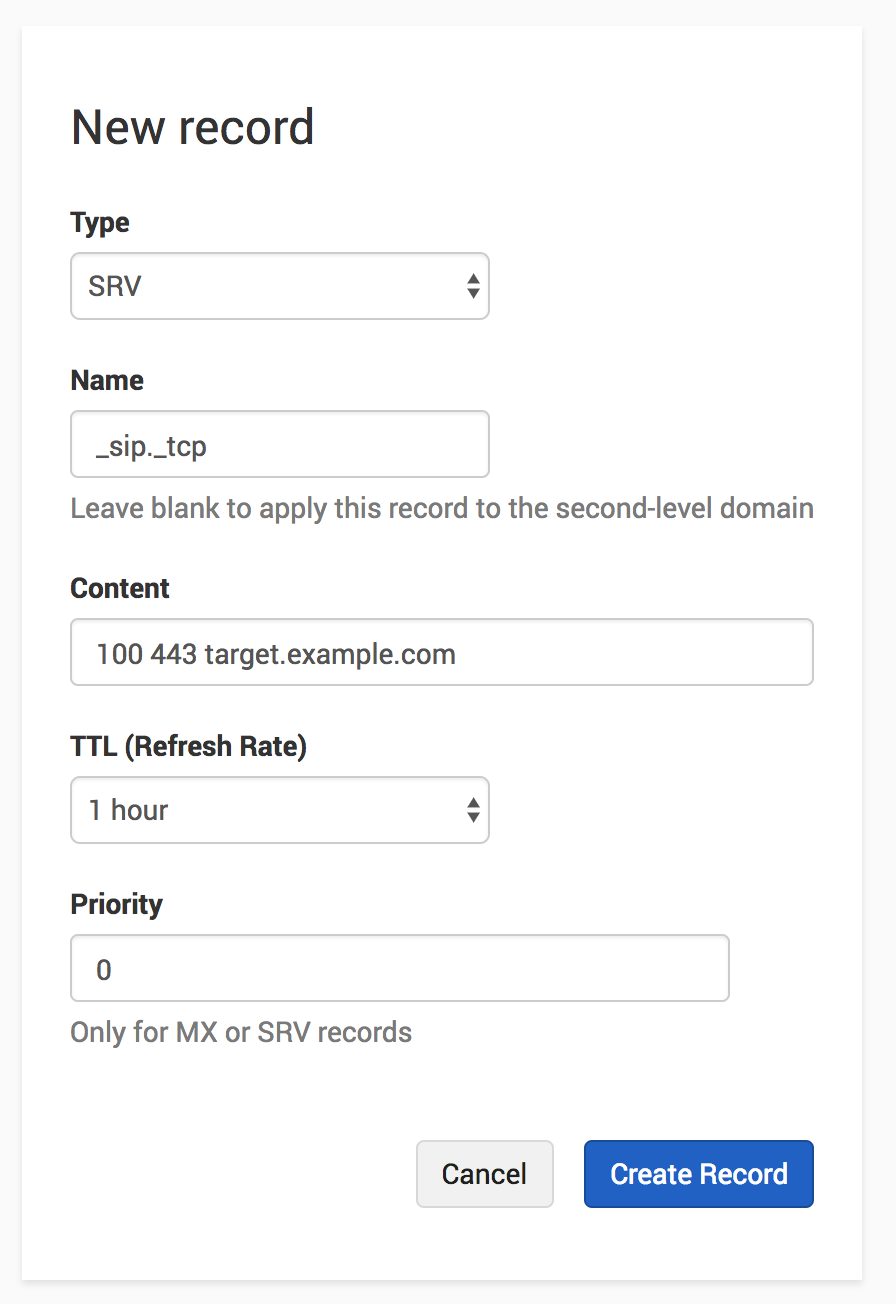
An SRV record in a DNS template splits its data across three fields: the service and protocol go in the name field, the weight, port, and target go in the content field, and the priority goes in its own field. For an overview of DNS template documentation, see DNS Templates at DNSimple.
SRV record components
A typical SRV record contains the following data:
- A symbolic service name, like
sip - A protocol, like
tcporudp - A priority, like
10 - A weight, like
100 - A port, like
443 - A target, like
target.example.com
How to enter them in a template
Combine the components across the template record fields as follows:
| Field | Contains | Example |
|---|---|---|
| Name | The service name and protocol, each prefixed with an underscore | _sip._tcp |
| Content | The weight, port, and target, separated by spaces | 100 443 target.example.com |
| Priority | The priority on its own | 10 |
Priority is a separate field on the record. Do not include it in the content string, or the record will not resolve as intended.
Pointing an SRV target at the domain apex
To target the domain the template is applied to, end the content with @. rather than naming a host. The @ is replaced with the domain name when the template is applied.
For example, a content value of:
100 443 @.
applied to example.com produces:
100 443 example.com
This shorthand works in the content field for A, AAAA, CNAME, MX, URL, NS, and SRV records. SRV is the only type where it is recognized at the end of a longer value rather than on its own. See Template Record Variables and Syntax for the complete rules.
Have more questions?
If you have any questions about SRV records in templates, just contact support, and we’ll be happy to help. You can also read more about DNS hosting at DNSimple.