Point Your Domain to GitHub Pages
Table of Contents
- Add the domain in GitHub first
- Use the one-click GitHub Pages service
- Add the records yourself
- Have more questions?
To serve a GitHub Pages site on your domain, add the domain to the site in GitHub first, then point it at your GitHub Pages address, such as octocat.github.io. At DNSimple, the domain apex uses an ALIAS record and www uses a CNAME record. The one-click GitHub Pages service creates the apex record for you.
Add the domain in GitHub first
GitHub asks you to add the custom domain to your site before you change DNS. Before you add it, GitHub recommends verifying the domain to protect it from takeover. Then follow GitHub’s guide to managing a custom domain for your GitHub Pages site.
Use the one-click GitHub Pages service
To apply the GitHub Pages service
- From the list, click the domain.
- Click the tab on the left side.
-
In the card, click , or if the domain already has a service.
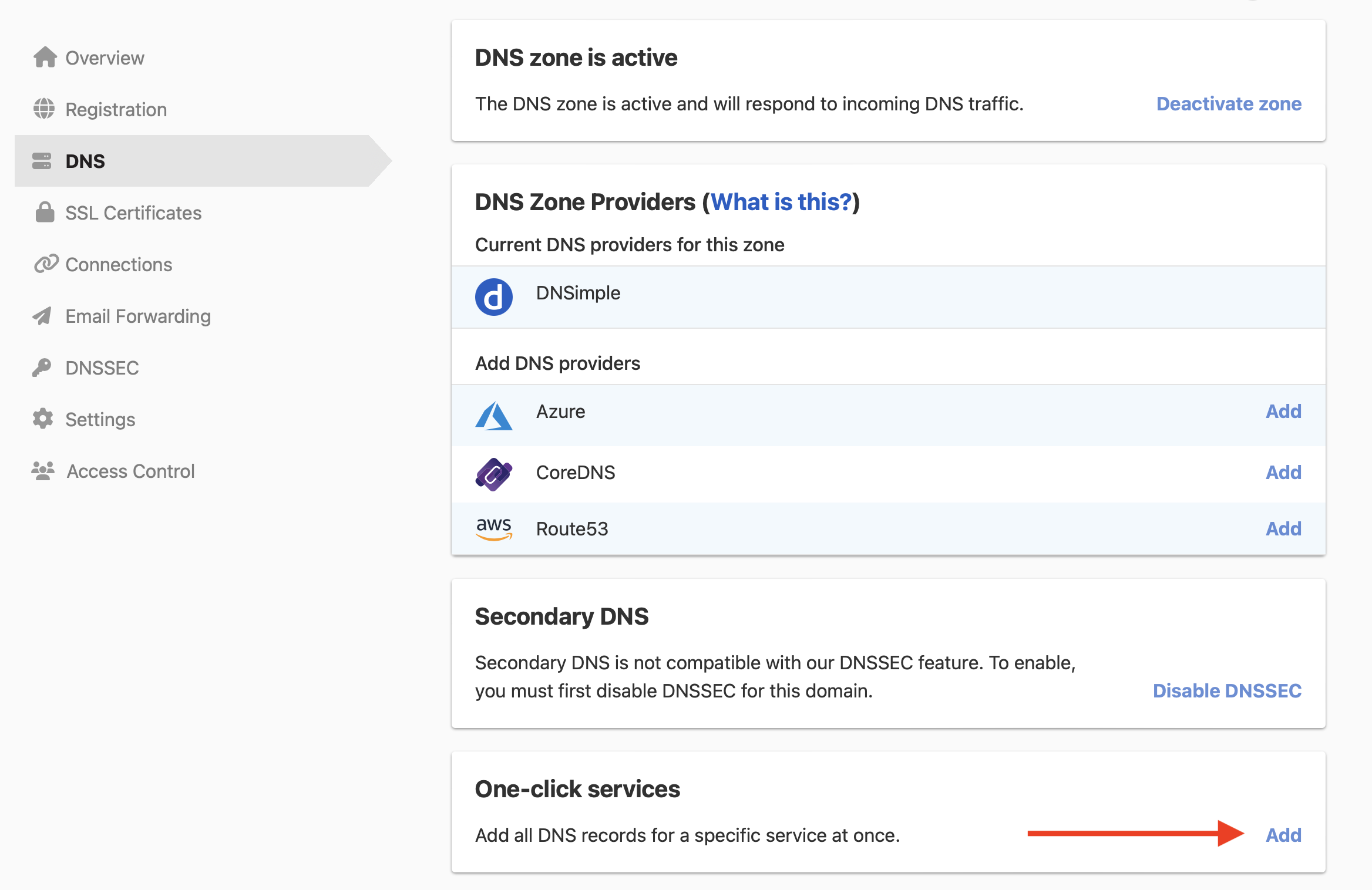
- Click the tab, and click next to GitHub Pages.
- In , enter the GitHub user or organization that owns the site. DNSimple adds
.github.io. Project sites also use the owner’s address. - Click .
The service creates an ALIAS record for the domain apex that points to <name>.github.io. To also serve www, add the CNAME record below. To remove the service later, see how to remove a service.
Add the records yourself
To point the apex and www to GitHub Pages
- From the list, click the domain, then click at the top-right.
-
Click , and select .

- Leave blank, enter your GitHub Pages address in , such as
octocat.github.io, and click . - To serve
www, add a CNAME record with set towwwand set to the same GitHub Pages address.
GitHub also lists A and AAAA records for the apex. Use those only if you do not use an ALIAS record. Do not add a wildcard record such as *.example.com for GitHub Pages: GitHub warns that wildcard records put the domain at risk of takeover.
After DNS resolves, turn on in the repository’s Pages settings. GitHub says the option can take up to 24 hours to become available.
Have more questions?
If you have additional questions or need any assistance with GitHub Pages, contact support, and we will be happy to help. You can also read more about DNSimple integrations.