Troubleshooting Heroku SSL Errors
Table of Contents
SSL certificate errors on Heroku typically occur when the certificate does not match the domain or when it is not properly installed. For general SSL error guidance, see Troubleshooting SSL Certificate Errors.
Invalid Common Name (*.heroku.com or *.herokuapp.com)
You pointed your domain to Heroku to use an SSL certificate but you are receiving an error such as Troubleshooting Heroku SSL errors, Invalid common name or The certificate for this website is invalid.
This error occurs because you are pointing the DNS to the generic herokuapp.com Heroku endpoint. Instead you need to use the SSL host name provided you by Heroku. The hostname generally ends with:
-
herokudns.comif you are using the Heroku SSL feature -
herokussl.comif you are using the legacy Heroku SSL Endpoint feature
➜  ~  dig www.awesomeexample.com

;; ANSWER SECTION:
www.awesomeexample.com.   771 IN  CNAME   awesomeexample.herokuapp.com.
awesomeexample.herokuapp.com. 300    IN  CNAME   us-east-1-a.route.herokuapp.com.
us-east-1-a.route.herokuapp.com. 54 IN  A   50.16.244.117
For more information about using DNSimple certificates with Heroku visit the SSL Certificates for Heroku article.
Examples
Here’s a few possible variants of the error message, depending on the browser you are currently using.
Google Chrome
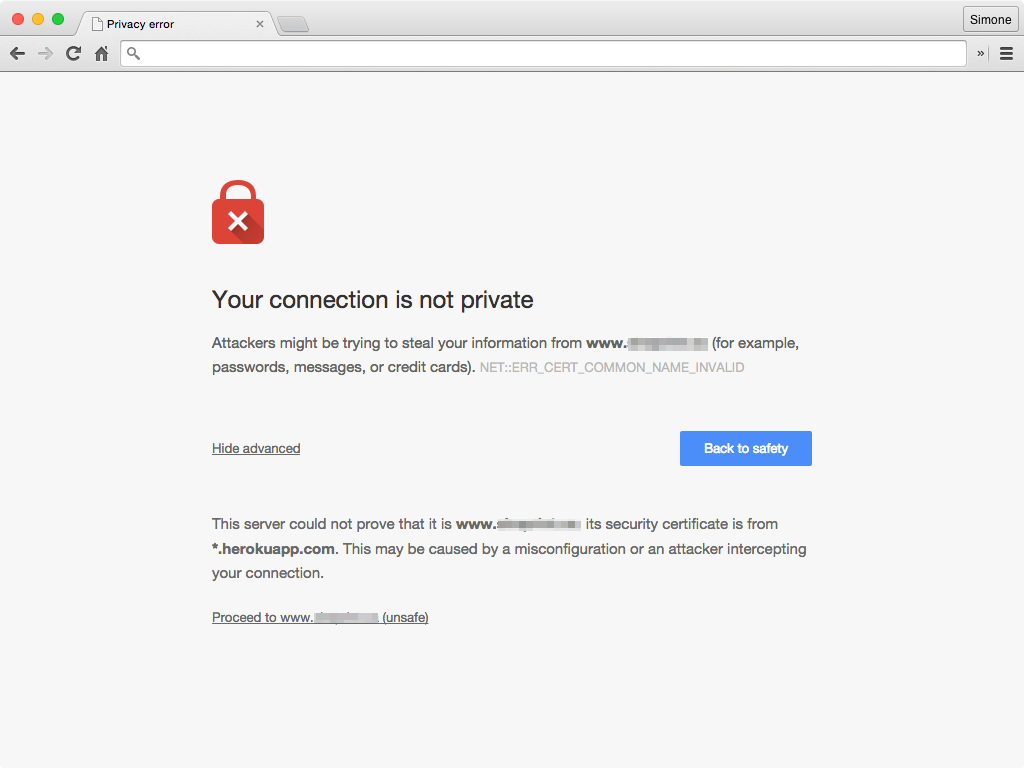
Your connection is not private
Attackers might be trying to steal your information from www.alpha.com (for example, passwords, messages, or credit cards).
NET::ERR_CERT_COMMON_NAME_INVALIDThis server could not prove that it is www.alpha.com; its security certificate is from www.bravo.com. This may be caused by a misconfiguration or an attacker intercepting your connection.
Google Chrome
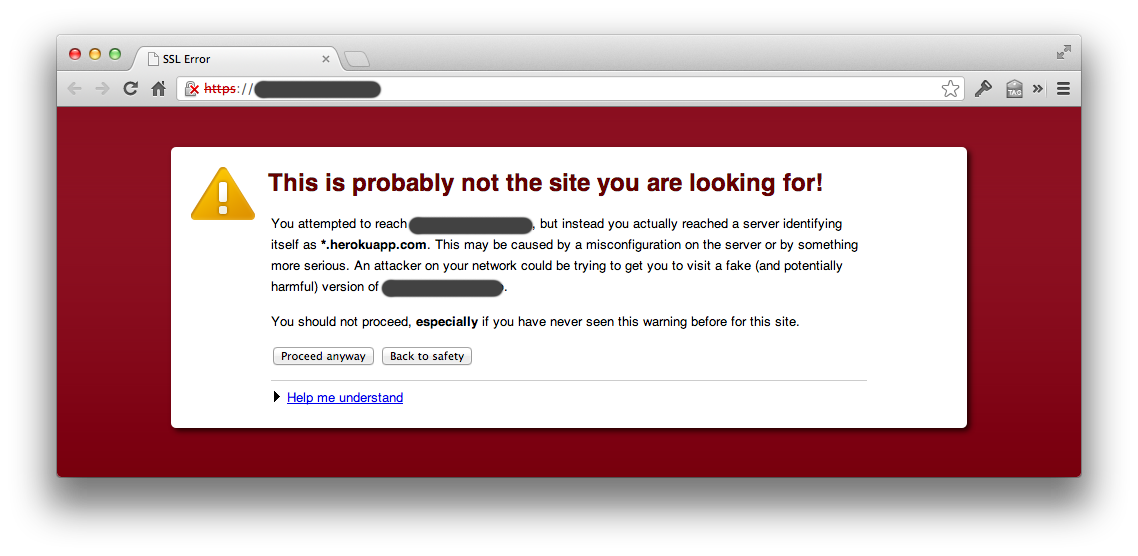
This is probably not the site you are looking for!
You attempted to reach example.com, but instead you actually reached a server identifying itself as *.herokuapp.com. This may be caused by a misconfiguration on the server or by something more serious. An attacker on your network could be trying to get you to visit a fake (and potentially harmful) version of example.com.
Safari

For step-by-step instructions on setting up SSL certificates with Heroku, see SSL Certificates for Heroku.
Have more questions?
If you have any questions or need assistance, contact support, and we will be happy to help.