How to Install an SSL Certificate on Heroku
Last updated
Table of Contents
- Before starting
- Install the SSL certificate on Heroku
- Point DNS to Heroku
- Renew the certificate on Heroku
- Have more questions?
To use an SSL certificate from DNSimple on Heroku, download the certificate bundle and private key from the DNSimple installer, then upload them to your app with heroku certs:add. The host name must point to the herokudns.com DNS target that Heroku assigns to it.
Tip
Heroku can also issue and renew free certificates itself with Automated Certificate Management (heroku certs:auto:enable). Install a DNSimple certificate when you need a specific certificate, such as a Sectigo certificate.
Before starting
You need:
- An issued SSL certificate in DNSimple for the host name. To get one, see ordering a Sectigo certificate or getting a Let’s Encrypt certificate.
- The Heroku CLI, logged in to the account that owns the app
- The host name added to your Heroku app, as in Pointing the Domain Apex to Heroku
Install the SSL certificate on Heroku
To install the certificate
- From the list, click the domain.
- Click the tab, and click the certificate you want to install.
-
Click .
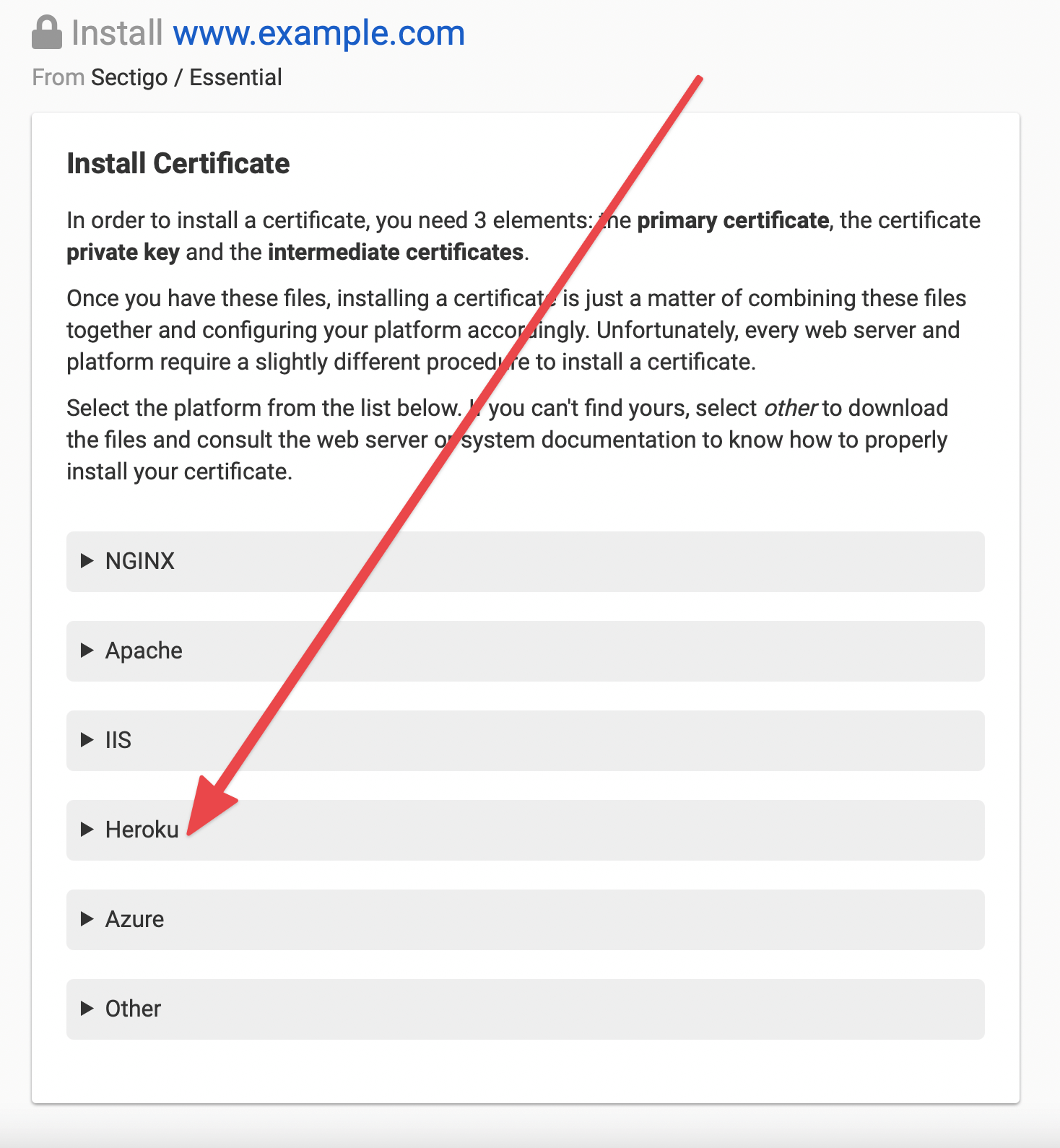
- Select from the list of platforms.
- Download the certificate bundle (a
.pemfile with your certificate and its intermediate certificates) and the private key (a.keyfile). If there is no private key to download, you generated the CSR yourself. Use the private key you created with it. -
Upload both to your app with the Heroku CLI, using the file names you downloaded:
heroku certs:add example_com.pem example_com.key -a your-app - Run
heroku certs -a your-appto check that the certificate is installed for your host name.
Point DNS to Heroku
The host name must point to its herokudns.com DNS target, such as whispering-willow-5678.herokudns.com, not to a herokuapp.com address. Use an ALIAS record for the domain apex and a CNAME record for a subdomain. Pointing the Domain Apex to Heroku covers each way to set this up. If the browser reports a certificate error after installation, see Troubleshooting Heroku SSL Errors.
Renew the certificate on Heroku
Heroku keeps using the uploaded certificate until you replace it. After DNSimple renews the certificate, download the new bundle and private key from the installer, and replace the certificate at Heroku:
heroku certs:update example_com.pem example_com.key -a your-app
Have more questions?
If you have additional questions or need any assistance installing your SSL certificate on Heroku, contact support, and we will be happy to help. You can also read more about DNSimple integrations.