How to Renew a Sectigo SSL Certificate
Table of Contents
Note
There are a few important things you should note about renewing an SSL certificate before continuing with this document.
Seven days before the certificate expires, you will begin receiving renewal notices. Certificates purchased before March 15, 2026 use the previous 60-day notice window.
Note
Starting March 15, 2026, Sectigo certificates are valid for a maximum of 200 days due to CA/Browser Forum lifetime reduction requirements. You will need to purchase a new certificate before it expires to maintain uninterrupted coverage.
Start the renewal as soon as the button becomes available, so that email validation and issuance have time to complete before the current certificate expires. If you want a longer lead time, you can purchase a new certificate at any point instead of waiting for the renewal window.
Renewing your Sectigo certificate
Renewing a certificate
- Log into DNSimple with your user credentials.
- If you have more than one account, select the relevant one.
- On the header click the tab, locate the relevant domain, and click on the name to access the domain page.
-
Scroll down to the section, and find the active SSL certificate. Click to start the renewal.
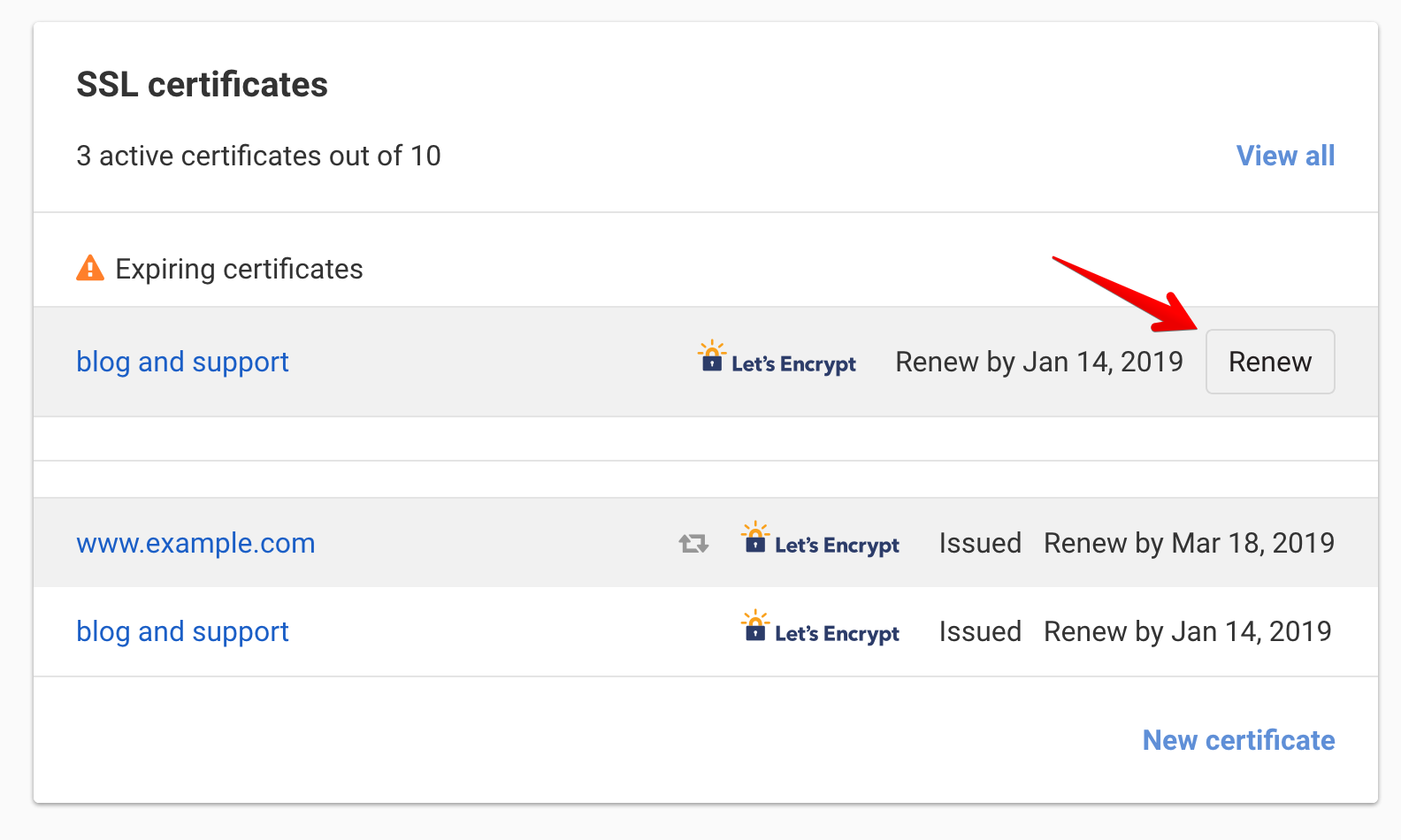
The button only appears once the certificate is close to expiring. For Sectigo certificates, it becomes available 7 days before the expiration date and remains available for 7 days after. Certificates purchased before March 15, 2026 use the previous 60-day window.
If the button is missing outside that period, the certificate is either not yet due for renewal, already expired for more than 7 days, or in a state that does not allow a renewal.
-
Follow the instructions to purchase the certificate renewal.
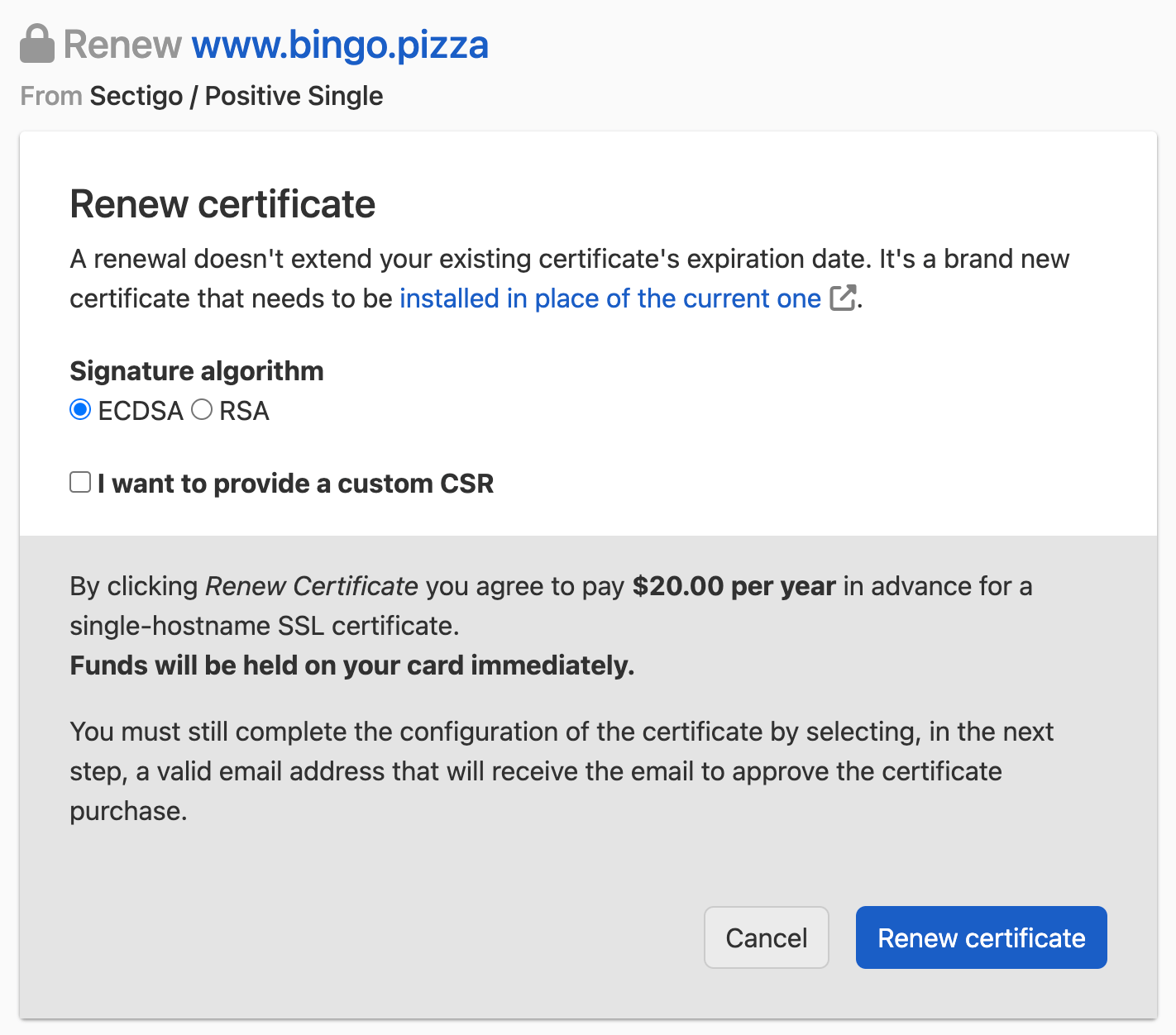
- Check the certificate common name matches the one you want to renew.
- ECDSA is selected for you by default, but you can select RSA as the signature algorithm if your particular scenario requires it.
- Leave the CSR option unchecked, unless you need to provide a custom CSR. We recommend letting DNSimple automatically generate the CSR (and a new private key to go with it).
- Submit the order.
Note
The certificate renewal price will be held on your card immediately. Your card will be charged once the new certificate is issued. If the issuance fails, funds will be released.
Next Steps
Once you order the certificate, you will have to go through the steps of configuring, verifying, and installing the certificate in order to receive the certificate.
See getting started with SSL certificates.
Have more questions?
If you have any questions or need assistance, contact support, and we will be happy to help.