Manage Vanity Name Servers
Last updated
Table of Contents
- Enabling Vanity Name Servers
- Delegating to existing vanity name servers
- Disabling Vanity Name Servers
- Have more questions?
Use this guide when you want DNSimple to answer DNS for your domain but public NS names look like your hostnames (for example ns1.example.com). For what vanity name servers are and when they apply, read What Are Vanity Name Servers?.
Note
Vanity name servers are only available on Enterprise plans.
Enabling Vanity Name Servers
Open the vanity name servers card
- Use the at the top of the page to select the account you want to work with.
- In your list, click the name of the domain where you want to enable vanity name servers.
- Click the tab.
- Scroll to the section.
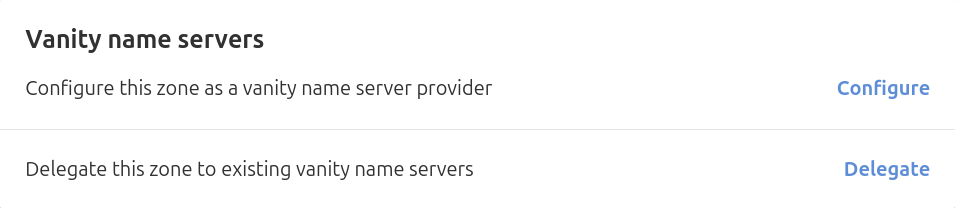
You will see two options:
-
Configure: set up this domain as the source of vanity name servers (for example
ns1.yourdomain.com). - Delegate: use an existing vanity name server configuration from another domain.
Using the same domain
Click when the name server names live on the same domain you are editing (for example, ns1.yourdomain.com for yourdomain.com). DNSimple adds the required A and AAAA records for the vanity hosts and, if the domain is registered with DNSimple, also adds glue records at the registry.
If the domain is registered elsewhere and you use DNSimple only for DNS, ask your registrar to add the glue records. Use the IPv4 and IPv6 targets listed in DNSimple name servers.
Enable vanity on the same domain
- Click .
- Click . DNSimple adds the records the setup needs.


Using another domain
Use this path when the vanity hostnames are on a different domain than the zone you are configuring.
Enable vanity using another domain
- Enter the fully qualified domain name (FQDN) for each vanity name server hostname you want to use.
- Click .
Warning
The FQDNs you enter must already resolve correctly on the other domain. If they do not, your domain will not resolve. See DNSimple name servers for the IPv4 and IPv6 addresses you typically need when you point glue or A/AAAA targets at DNSimple.
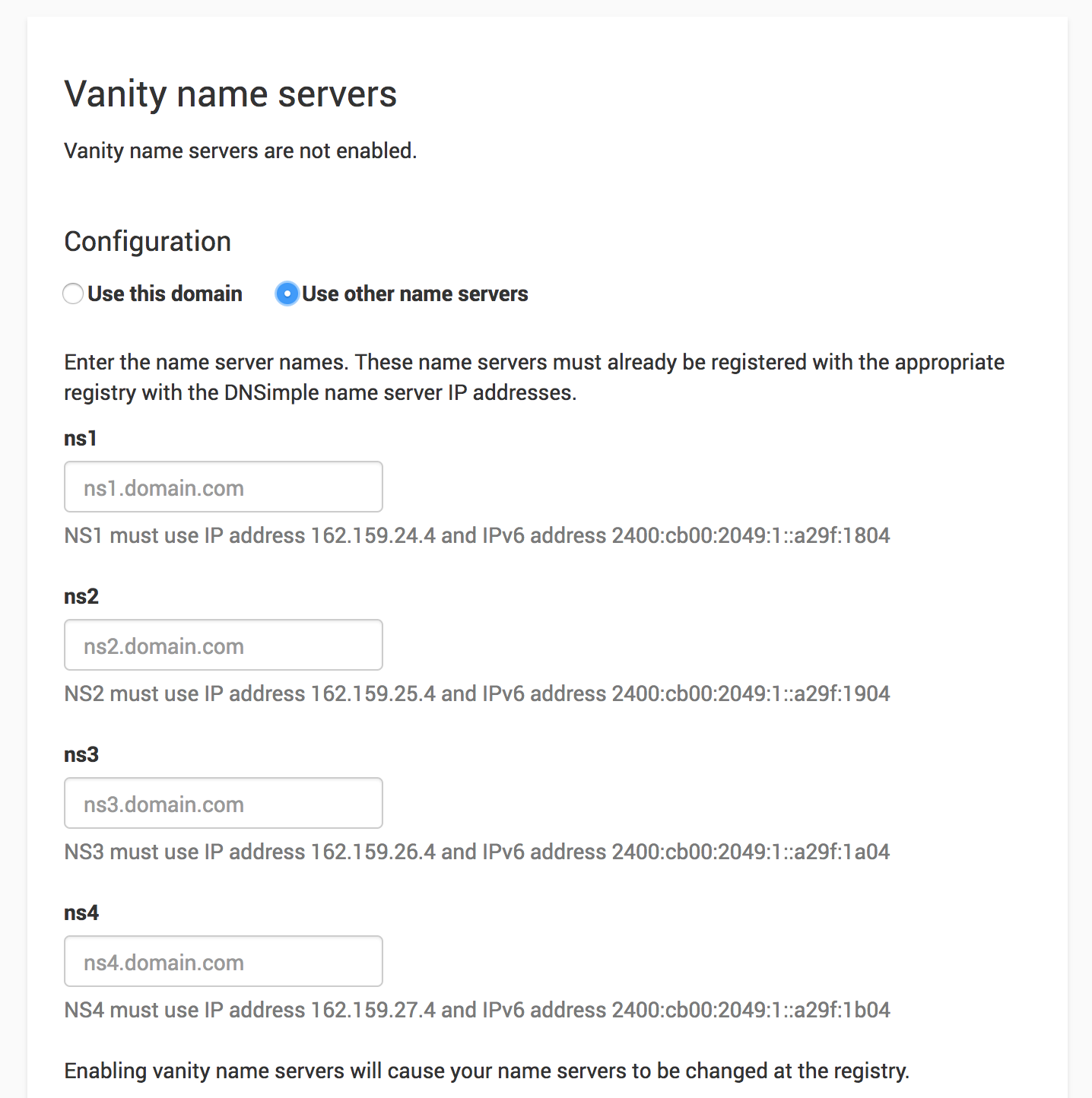
If the domain is registered with DNSimple, delegation updates automatically. If the domain is registered elsewhere, update name server delegation at your registrar to the vanity hostnames you configured.
Delegating to existing vanity name servers
Use this section when vanity name servers are already configured on another domain and you want this domain to use them.
Delegate to existing vanity hosts
- Use the to select the correct account.
- In your list, click the domain you want to delegate.
- Click the tab.
- Scroll to the section and click .
- Enter the vanity name server hostnames (for example
ns1.brand.com,ns2.brand.com), then click .
If the domain is registered with DNSimple, delegation updates automatically. If the domain is registered elsewhere, update the name servers at your registrar to match the hostnames you entered.

Disabling Vanity Name Servers
Stop using vanity name servers
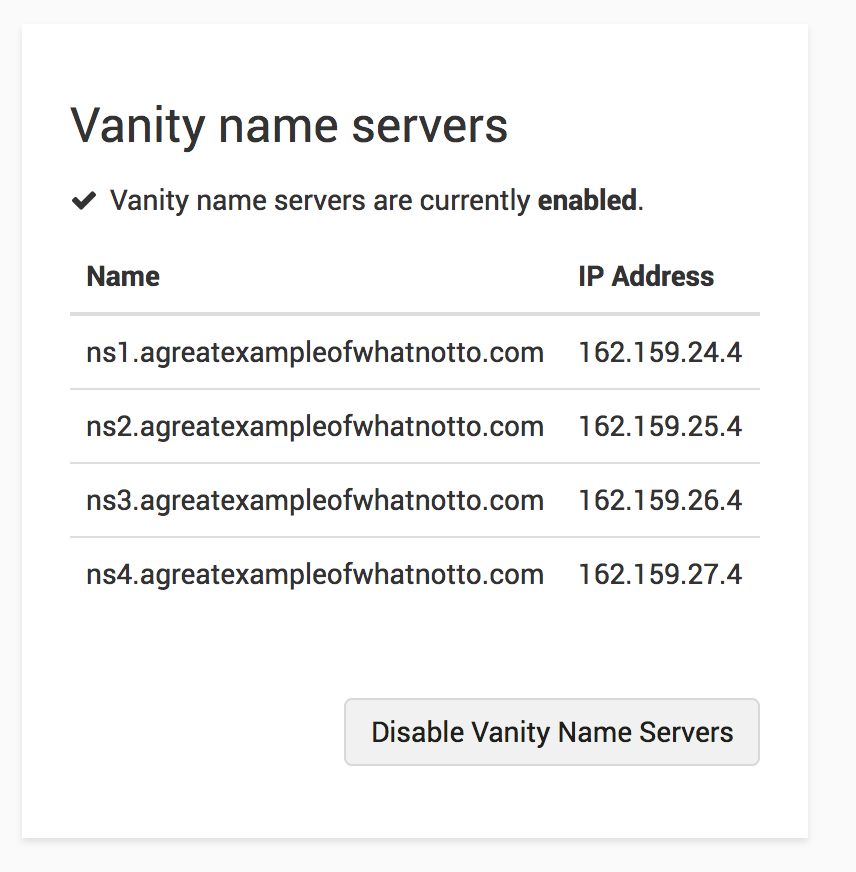
- Open the domain, click the tab, and find the card.
- Click for each zone that is currently delegated to the vanity hosts.
- When no zones remain delegated, click .
- Confirm in the dialog if prompted.


Note
Disabling vanity name servers changes the NS records served for the zone back to defaults. If the domain is registered with DNSimple, delegation also reverts to standard name servers automatically. If the domain is registered elsewhere, update delegation at your registrar to DNSimple name servers.
Note
If the domain is registered with DNSimple, related glue records are also removed when they apply to the same domain name. If the domain is registered elsewhere, ask your registrar to remove glue records for the old vanity hosts.
Have more questions?
If you have questions about vanity name servers, contact support, and we will be happy to help. You can also read more about DNS hosting at DNSimple.