Adding NS Records for a Subdomain
Table of Contents
- Confirm the domain uses DNSimple for DNS
- Add NS records in DNSimple
- Verify the delegation
- Have more questions?
Use this guide when DNSimple hosts DNS for your domain and you want a subdomain (for example blog.example.com) to be answered by different authoritative name servers. You add NS records in the DNSimple record editor for that subdomain. For field names in the editor, see How To Add Common DNS Records.
Subdomain delegation covers standard DNS resolution only. Publishing DS records for the delegated subdomain (a zone cut) is not supported in DNSimple, so the subdomain is not covered by a DNSSEC chain of trust, even if the provider hosting the subdomain signs its zone. For feature compatibility details, see DNSSEC Compatibility With Other DNSimple Features.
Confirm the domain uses DNSimple for DNS
Before you add NS records, the parent domain must be delegated to DNSimple. If the domain is registered with DNSimple, follow Delegate a DNSimple-Registered Domain to DNSimple Name Servers. If the domain is registered elsewhere but uses DNSimple for DNS, follow Delegate a Domain from Another Registrar to DNSimple. If you are unsure which path applies, start from Pointing a Domain to DNSimple.
Add NS records in DNSimple
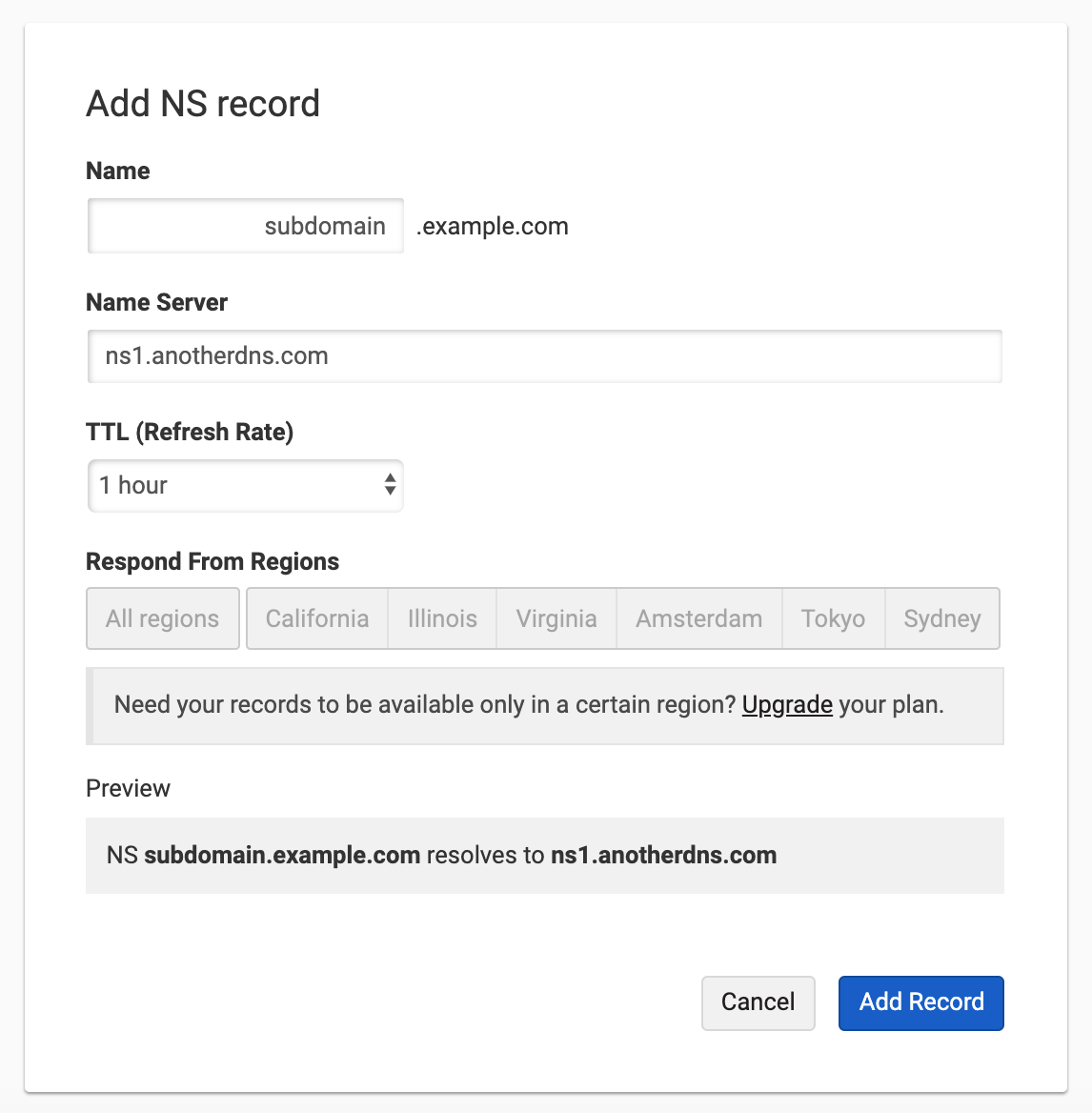
Create NS records for the subdomain
- Log in to DNSimple with your user credentials.
- If you have more than one account, select the relevant one.
- On the header, click the tab, locate the domain, and click its name to open the domain page.
- Click the tab on the left.
- In the DNS records section, click .
- Click .
- Select NS as the record type.
- In Name, enter the subdomain label (for example
blogforblog.example.com). Use@only when the record belongs at the zone apex; most subdomain delegations use a single label here. - In Content, enter the authoritative name server hostname (for example
ns1.otherdns.com.). Use a trailing dot (.) at the end of the hostname unless DNSimple already adds it for you. - Click to save the NS record.
- Repeat steps 6 through 10 for each additional name server hostname your provider gave you (typically two or more NS records for the same subdomain name).
Tip
If you are copying values from another DNS provider, see How To Add Common DNS Records for how Name and Content map to common labels such as Host and Value.
Verify the delegation
Check NS data and resolution
- Query DNSimple for the NS set you published:
dig @ns1.dnsimple-edge.com NS blog.example.com(replaceblog.example.comwith your subdomain). - Confirm the full resolution path:
dig +trace blog.example.com - Query the target name servers your NS records point to (replace the server and name):
dig @ns1.otherdns.com blog.example.com
Name server propagation
NS and delegation changes can take up to 24 hours to propagate. A WHOIS lookup is often a good way to determine if the changes have been submitted properly.
Have more questions?
If you have questions about NS records or subdomain delegation, contact support, and we will be happy to help. You can also read more about DNS hosting at DNSimple.