Email Forwarding Management in DNSimple
Table of Contents
- Email forwarding tab
- Email forward creation form
- Email forwards list
- Email forwarding limits
- Internationalized Domain Names (IDN) support
- Have more questions?
This article provides a visual reference guide to the email forwarding interface in DNSimple.
Email forwarding tab
Email forwarding is applied on a per-domain basis. The following sections explain the different parts of the email forwarding interface.
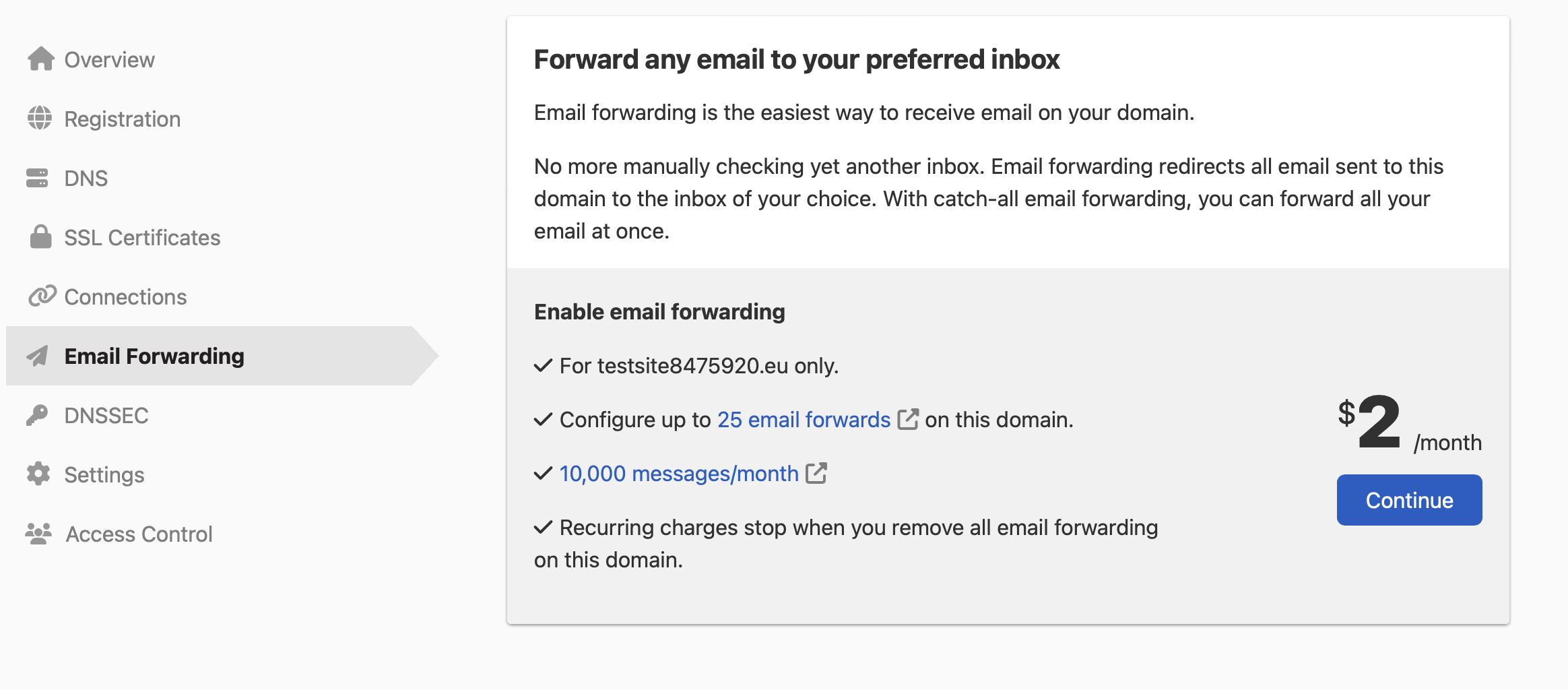
- tab - Email forwarding management options for the domain.
- Email Forwards section - Explains what an email forward is used for.
- button - Create a new email forward.
Email forward creation form
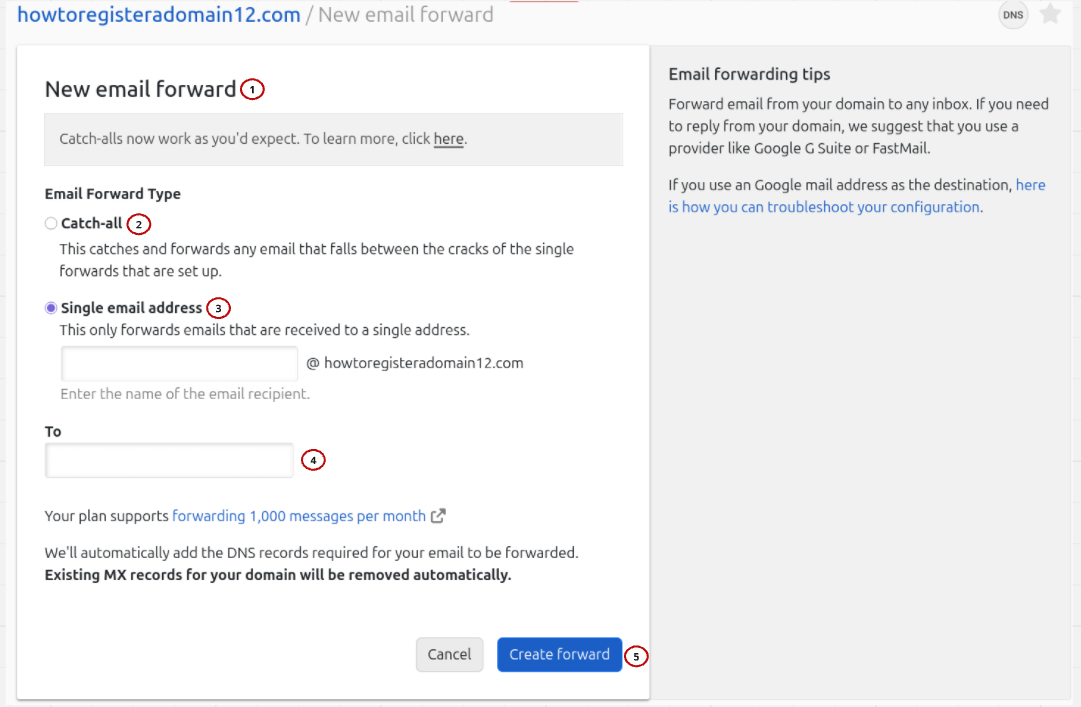
When creating a new email forward, you will see the following fields and options:
- New email forward form - Used to enter the information for the email forward.
- option - Check this box to create a catch-all forward that captures emails to any address at your domain.
-
Single email address field - Enter the local part of the email address to forward from (e.g.,
helloforhello@yourdomain.com). Do not include the domain name. -
field - Enter the full email address where emails should be forwarded (e.g.,
yourname@gmail.com). - button - Click to create the email forward.
For step-by-step instructions on setting up email forwarding, see How to Set Up Email Forwarding.
Email forwards list
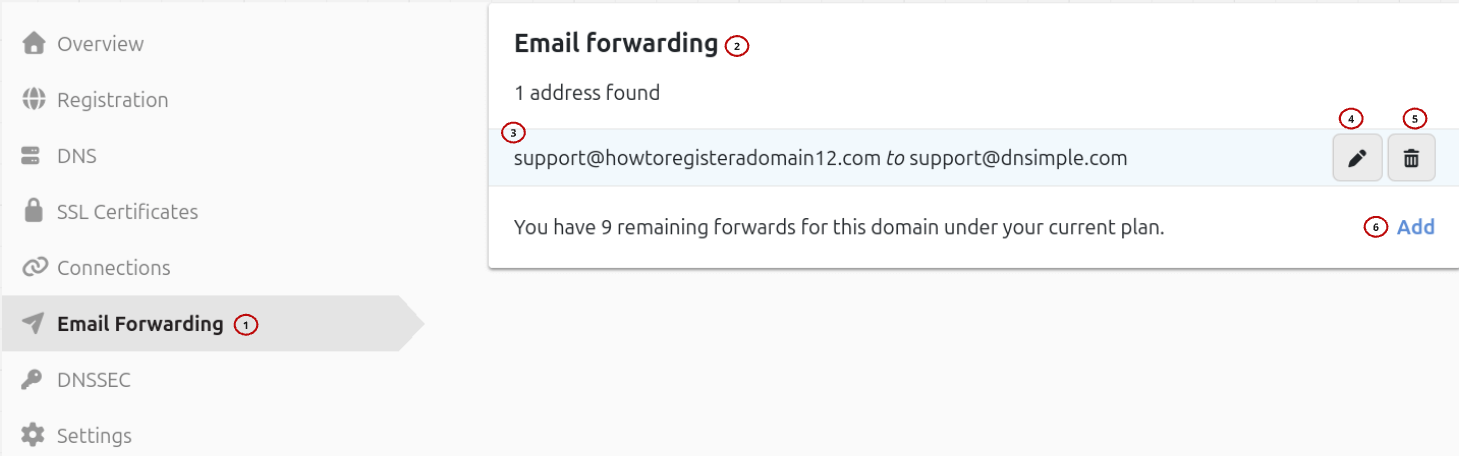
The section displays all configured email forwards for the domain. Each forward shows:
- tab - Email forwarding management options for the domain.
- card - Interface for all of the email forwarding options.
- Destination address (To) - The full email address where emails are forwarded.
- menu - Opens the actions for that forward: to modify its destination address, and to remove it permanently.
- button - Click to add another email forward on the domain.
Email forwarding limits
Email forwarding is billed monthly on a per-domain basis. The number of email forwards and forwarded messages allowed per domain is based on your plan. Solo includes up to 10 email forwards and 1,000 messages per month. Solo Pro includes up to 15 email forwards and 5,000 messages per month. Teams includes up to 25 email forwards and 10,000 messages per month. See Email Forwarding Limits and Quotas for details.
Internationalized Domain Names (IDN) support
The email forwarding provider does not support International Domain Names (domains with non-standard characters). You cannot use an email address with an IDN domain as a destination or to configure email forwards for an IDN domain.
Have more questions?
If you have any questions or need assistance with your email forwarding management, contact support, and we’ll be happy to help. You can also read more about email forwarding at DNSimple.