Enabling Email Forwarding
Table of Contents
- Prerequisites
- Enable email forwarding
- What happens next
- Internationalized Domain Names (IDN) support
- Common considerations
- Have more questions?
Email forwarding lets you receive emails sent to addresses at your domain and automatically redirect them to another email account. Before enabling the service, review the prerequisites below.
Prerequisites
You must be subscribed to a plan to enable email forwarding. Email forwarding is enabled and billed monthly on a per-domain basis.
The number of forwarded messages and email forwards allowed per month is based on your plan. See the differences between plans.
The domain must be delegated to DNSimple’s name servers, and DNS hosting must be active for email forwarding to work.
Warning
Email forwarding is not supported for domains with a secondary zone. To configure email forwards, you must first convert the zone to a forward zone (primary zone).
Enable email forwarding
Enable email forwarding for a domain
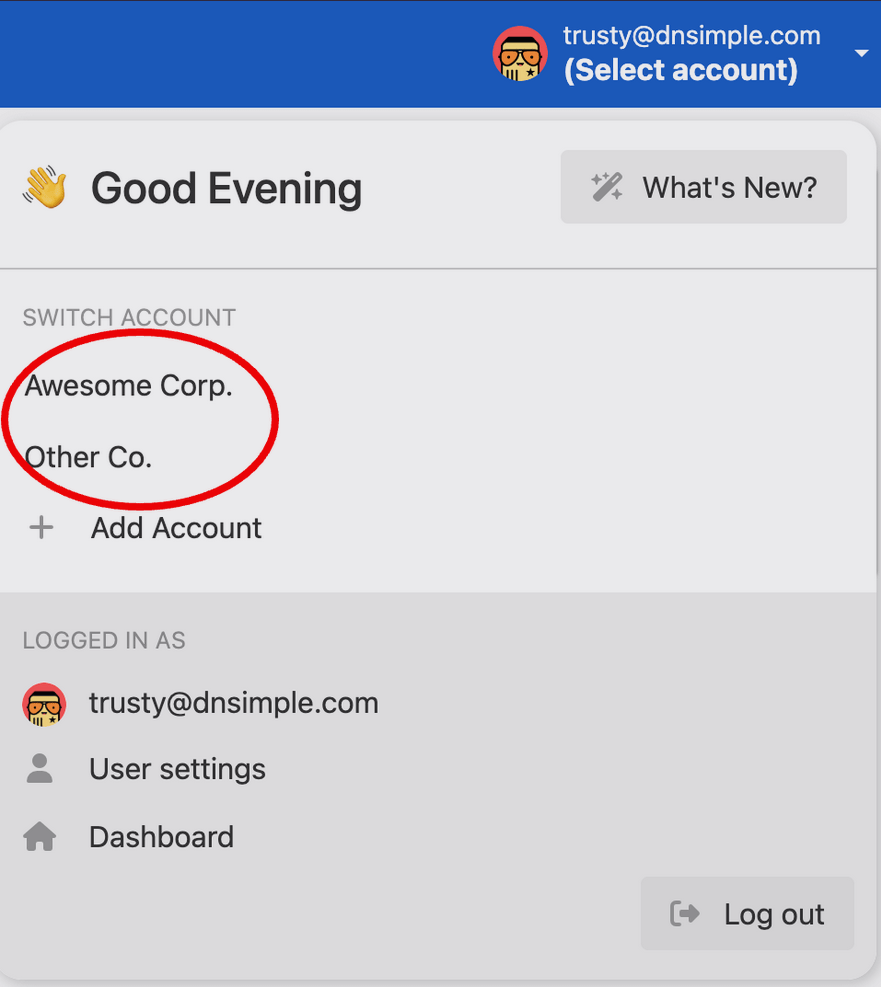
- Use the account switcher at the top of the page to select the appropriate account.
- In your list, click the name of the domain you want to enable email forwarding on.

- Click the tab on the left side.
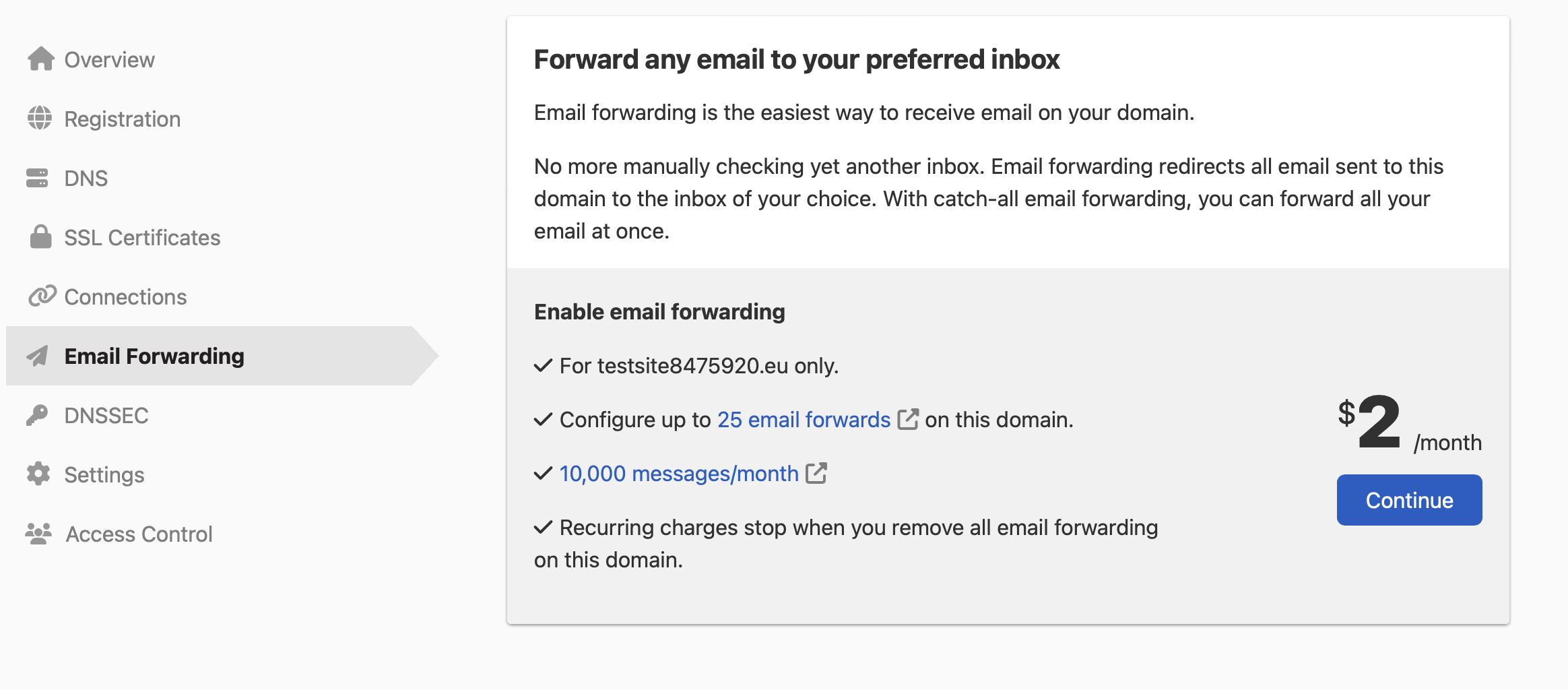
- Click to create your first email forward and enable the service.
When you enable email forwarding, DNSimple automatically adds the various DNS records needed to support forwarding.
Warning
When you enable email forwarding, any existing MX records for your domain will be automatically removed. If you are currently using another email service provider (such as Google Workspace or Microsoft 365), that service will stop working. Make sure you are ready to switch to email forwarding before enabling it.
Note
To see how to enable email forwarding with the API, check out our developer documentation.
What happens next
Once you create your first email forward:
- The email forwarding service is automatically enabled for your domain.
- DNSimple adds the necessary DNS records (primarily MX records) to your domain’s DNS zone.
- Emails sent to the forwarded address will begin arriving at your destination email address.
- You can create additional email forwards at any time.
Internationalized Domain Names (IDN) support
The email forwarding provider does not support International Domain Names (domains with non-standard characters). You cannot use an email address with an IDN domain as a destination or to configure email forwards for an IDN domain.
Common considerations
Email hosting compatibility: When you use email forwarding on a domain, you cannot use any other email service providers (e.g., Google Workspace) simultaneously. Email forwarding and email hosting services both use MX records, and a domain can only have one set of MX records. Existing MX records are automatically removed when you enable email forwarding.
Secondary zones: Email forwarding requires a primary (forward) zone. If your domain uses a secondary zone, you will need to convert it to a primary zone before you can enable email forwarding.
DNS propagation: After enabling email forwarding, it may take some time for DNS changes to propagate. This typically takes a few minutes to a few hours, depending on DNS caching.
Testing: After setting up email forwarding, test it by sending an email to the forwarded address from a different email account. The email should arrive at your destination address.
Have more questions?
If you have any questions or need assistance enabling email forwarding, contact support, and we’ll be happy to help.