Manage CNAME Records
Last updated
Table of Contents
You can manage CNAME records in DNSimple using the DNS record editor.
The instructions in this article assume you are familiar with the CNAME record format and usage.
Adding a CNAME record
To add a CNAME record
- If you have more than one account, select the relevant one from the account switcher at the top-right corner of the screen.
- On the header, click the tab.
- Locate the relevant domain, and click on the name to access the domain page.
- Click at the top right of the domain page.
- Click , and select .
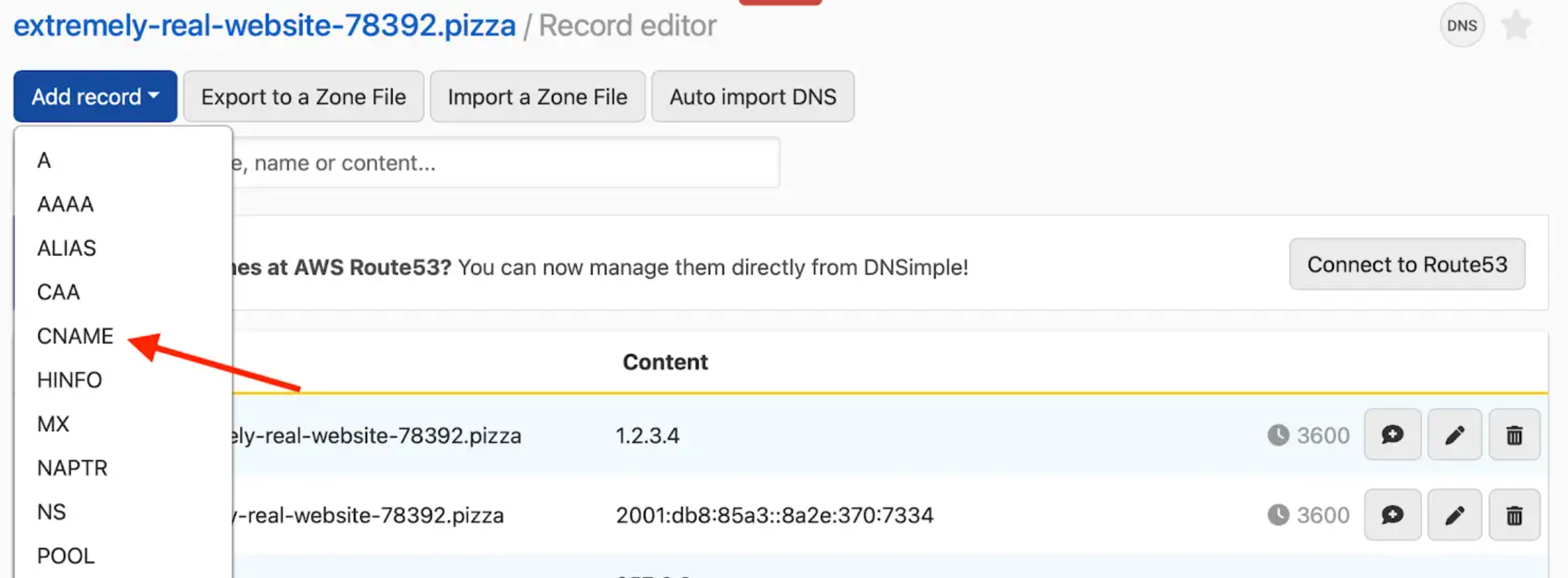
- Enter the CNAME record information.
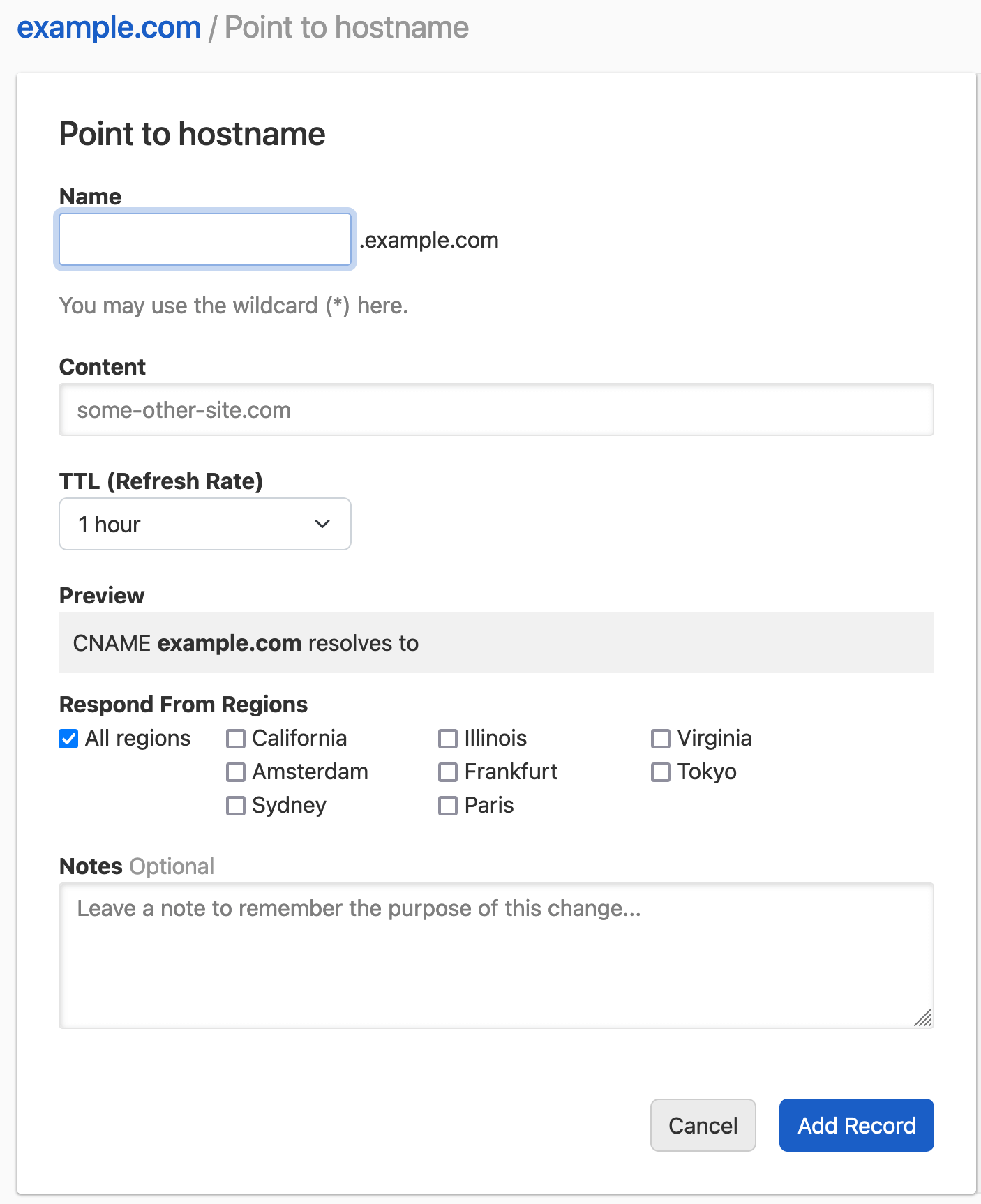
-
Name: the subdomain you want to create the record for, without the domain name. For example, if you want to represent
www.example.comenterwww. You cannot leave it blank, because the root domain already has the system SOA and NS records. -
Content: the target host name this host will point to. It must be a host name (e.g.,
blog.dnsimple.com) and not a URL (e.g.,http://blog.dnsimple.comorhttp://blog.dnsimple.com/postare invalid).
As with any other DNS record, you can configure:
- TTL (Refresh Rate): the record time-to-live.
- Respond From Regions: Configure Regional Records if desired.
- Notes: Optionally include a record note.
Note
Some hosting providers label fields differently than DNSimple does, which can be confusing if you are copying DNS settings from another provider.
- In DNSimple, Name = what others might call Host.
- In DNSimple, Content = what others might call Value.
-
Click .
-
The record editor opens with the message , and the new record is in the list.
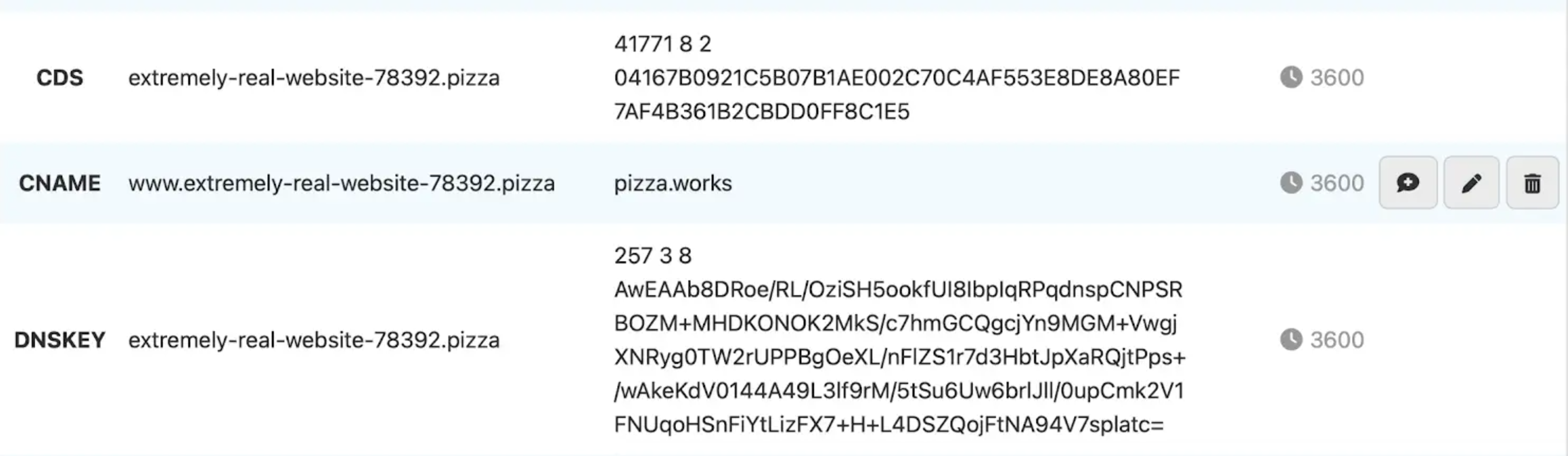
Attempting to add a new record where a CNAME exists
You cannot add another record type on a subdomain where a CNAME record already exists.
A CNAME points the entire subdomain to another hostname, so it overrides any other records on that subdomain. Because of this, DNS does not allow a CNAME alongside other records on the same name (RFC 1034), and DNSimple blocks it in both directions.
Examples:
- If
email.example.comalready has an MX record, and you try to add a CNAME to that exact subdomain (email.example.com), the MX record would stop working. The CNAME would override the subdomain (email.example.com), rendering the MX record useless, which stops your email. To counter this potential error, the Domain Name System does not allow other records alongside a CNAME. - If
_acme-challenge.example.comhas a CNAME, DNSimple cannot add the TXT record it needs to validate a Let’s Encrypt certificate, and the certificate is cancelled. See Existing CNAME Record on _acme-challenge. - You also cannot add a CNAME at the root domain (like
example.com). The root already has NS and SOA records. Trying to create a CNAME there returns an error like this one:
SOA record (id=12345) already exists on example.com. CNAME and SOA records cannot both exist on the same name.
You can achieve a similar behavior to CNAME records with an ALIAS record, which also works at the root domain. If you want a name to always resolve to the IP address of another domain, you can use an ALIAS record pointing to that domain. You should only do this if absolutely necessary, as the ALIAS record has a small amount of additional overhead compared to A and CNAME records.
Updating a CNAME record
To update a CNAME record
- If you have more than one account, select the relevant one from the account switcher at the top-right corner of the screen.
- On the header, click the tab.
- Locate the relevant domain, and click on the name to access the domain page.
- Click at the top right of the domain page.
- Locate the CNAME record you want to update in the list.
-
Click the three-dot actions menu at the end of the record row, then select .

- Update the information, and click to save the record.
Removing a CNAME record
To remove a CNAME record
- If you have more than one account, select the relevant one from the account switcher at the top-right corner of the screen.
- On the header, click the tab.
- Locate the relevant domain, and click on the name to access the domain page.
- Click at the top right of the domain page.
- Locate the CNAME record you want to remove in the list.
-
Click the three-dot actions menu at the end of the record row, then select .

- In the dialog, add a note if you want to record why, then click .
Have more questions?
If you have more questions or need assistance setting up CNAME records, just contact our support team, and we will be happy to help. You can also read more about DNS hosting at DNSimple.