What Is DNS?
Table of Contents
- IP addresses
- How does DNS work?
- Key DNS components
- Iterative vs. recursive queries
- DNS resolution: step-by-step
- Have more questions?
DNS stands for Domain Name System. It translates human-readable domain names into machine-readable IP addresses through a process called DNS resolution. Domain names like google.com or dnsimple.com are easy for people to remember, but web browsers use IP addresses to communicate. DNS bridges that gap by resolving the IP address associated with each domain name.
IP addresses
IP addresses are how computers know where to find each other, much like a street address. DNS servers take a domain like dnsimple.com and resolve addresses like 104.245.210.170 for IPv4, or the newer alphanumeric 2607:f8b0:4004:c19::64 for IPv6.
How does DNS work?
DNS uses several servers in conjunction to resolve a domain name to an IP address. They also enable other online services with different kinds of resource records.
Check out our web comic at howdns.works for a fun overview of DNS in action.
Key DNS components
-
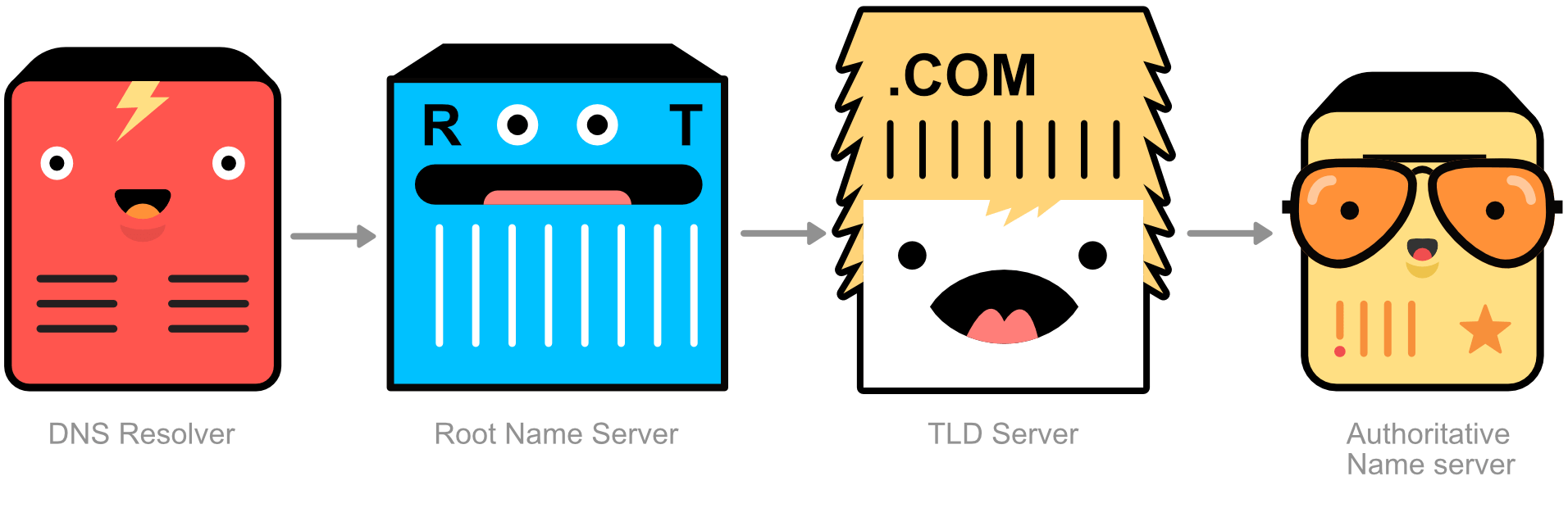
DNS records: Instructions living on DNS servers that provide information about domains and hostnames. Some common record types are: A records, AAAA records, CNAME records, MX records, TXT records, and NS records.
-
DNS resolver: Also known as a recursive resolver, this is the first stop in the DNS query process. It looks up the IP address on behalf of the client.
-
Root name servers: At the top of the DNS hierarchy, these find the specific top-level domain server a domain name is associated with.
-
TLD (top-level domain) servers: These manage information for top-level domains like .com, .org, and .net. A TLD server points to the authoritative DNS server for a domain name.
-
Authoritative name servers: These servers hold the official DNS records for a domain. They are the final source of truth for IP addresses and return them to the recursive resolver.
Iterative vs. recursive queries
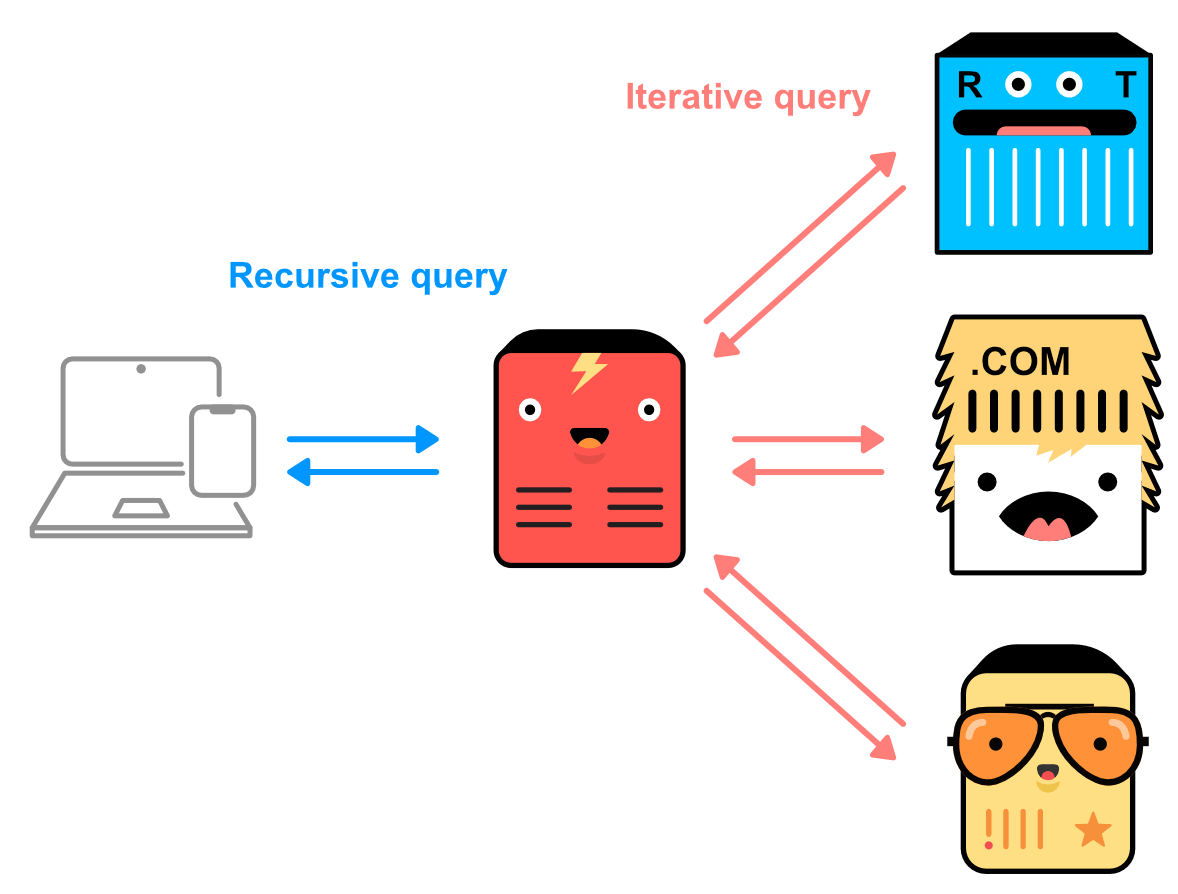
The connections between a resolver and client are recursive queries - queries that communicate with several DNS servers. Connections between root name, TLD, and authoritative DNS servers are typically iterative queries, which only query a single DNS server.
DNS resolution: step-by-step
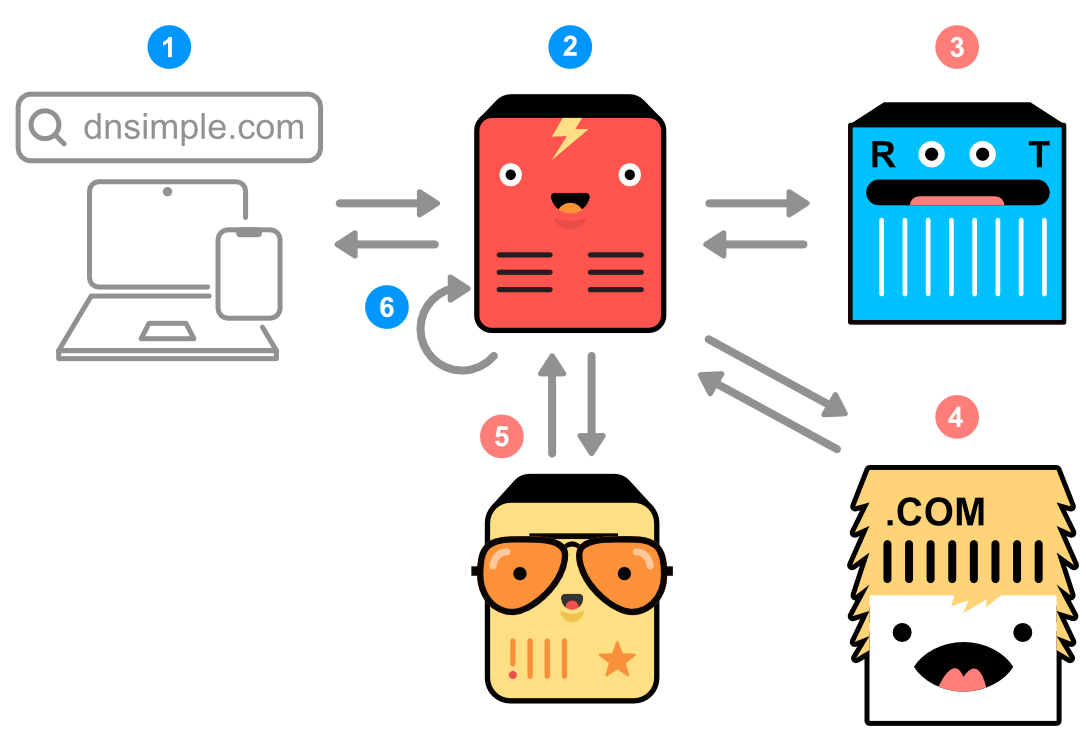
- Web browser search: A DNS query starts when you enter a site like dnsimple.com in your browser.
- Recursive resolver: Your browser contacts a recursive resolver, which searches for the IP address on your behalf.
- Root server query: The resolver queries a root name server to find which TLD server is responsible for the .com domain.
- TLD server query: The resolver queries the .com TLD server, which returns the authoritative name server responsible for dnsimple.com.
- Authoritative name server query: The resolver queries the authoritative name server, which contains the resource records for dnsimple.com.
- IP address returned: The resolver caches the record using the TTL value and sends the IP address to your device.
Have more questions?
If you have additional questions or need any assistance with DNS, just contact support, and we will be happy to help. You can also read more about DNS hosting at DNSimple.