What Is Time-to-Live?
Last updated
Table of Contents
In DNS, resource records are held in cache on a resolver for an amount of time specified by time-to-live (TTL). The TTL is a number of seconds, and tells resolvers how long they can keep using a cached copy of the record before asking the authoritative name server again. The DNS standard allows values from 0 to 2,147,483,647 seconds (RFC 2181).
Record lifetime
When a client tries to connect to a domain, the resolver contacts the authoritative DNS server and receives the resource record associated with the domain. The record is received, and a timestamp is recorded. Using the timestamp in conjunction with the TTL value of the record, an effective TTL value is calculated as follows:
TTLeffective = TTLinitial - elapsedTime
The record is kept in cache on the resolver and is served to clients that request the same record while the effective TTL is non-zero. If the effective TTL reaches zero, the record expires and is destroyed from the resolver’s cache. The next time a client communicates with the resolver for that record, a fresh copy of the record is requested from the authoritative DNS server. To learn more about checking and clearing DNS cache, see Check DNS Cache. For information about how long new records take to resolve, see How Long Does a New DNS Record Take to Resolve?.
Record forwarding
In some setups, one resolver might get a record forwarded to it from another resolver. In this case, the TTL value that is forwarded is the current effective TTL, and not the initial TTL value.
TTL in DNSimple
In DNS hosting at DNSimple, the default TTL is 1 hour (3600 seconds). In the record editor, you can choose a TTL from 1 minute up to 3 days in the menu when you add or edit a record.
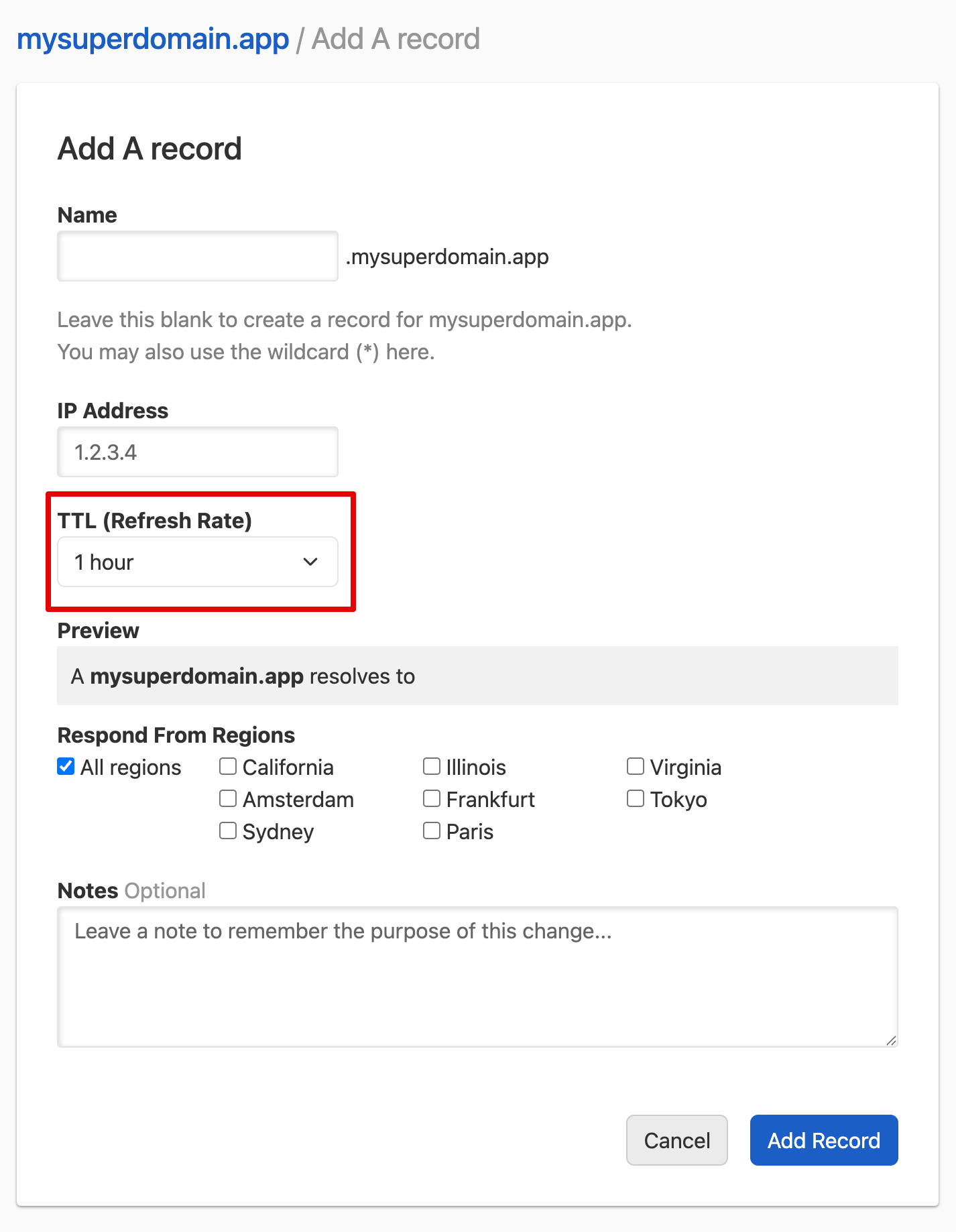
When you expect to change a record, lowering its TTL beforehand means resolvers pick up the change sooner, at the cost of more queries and slower lookups for visitors. After the change, we recommend raising the TTL back to at least 1 hour. For more details about DNSimple’s TTL settings, see DNSimple TTL Settings Reference. To change a record’s TTL, see How to Change TTL in DNSimple.
Have more questions?
If you have additional questions about TTL, just contact support, and we will be happy to help.