Add an SRV Record
Last updated
To add an SRV record in DNSimple:
- Use the account switcher at the top right corner of the page to select the appropriate account.
- From the Domain Names list, click the relevant domain.
- Click the DNS badge at the top right to access the Record Editor.
- Click Add record.
- From the record type dropdown, select SRV.
- Fill out the SRV record form with the required details.
- Click Add Record at the bottom of the page to save it.
Note
After the record is added, you will be returned to the Domain List, and a banner will confirm the record was successfully added.
Example SRV record form:
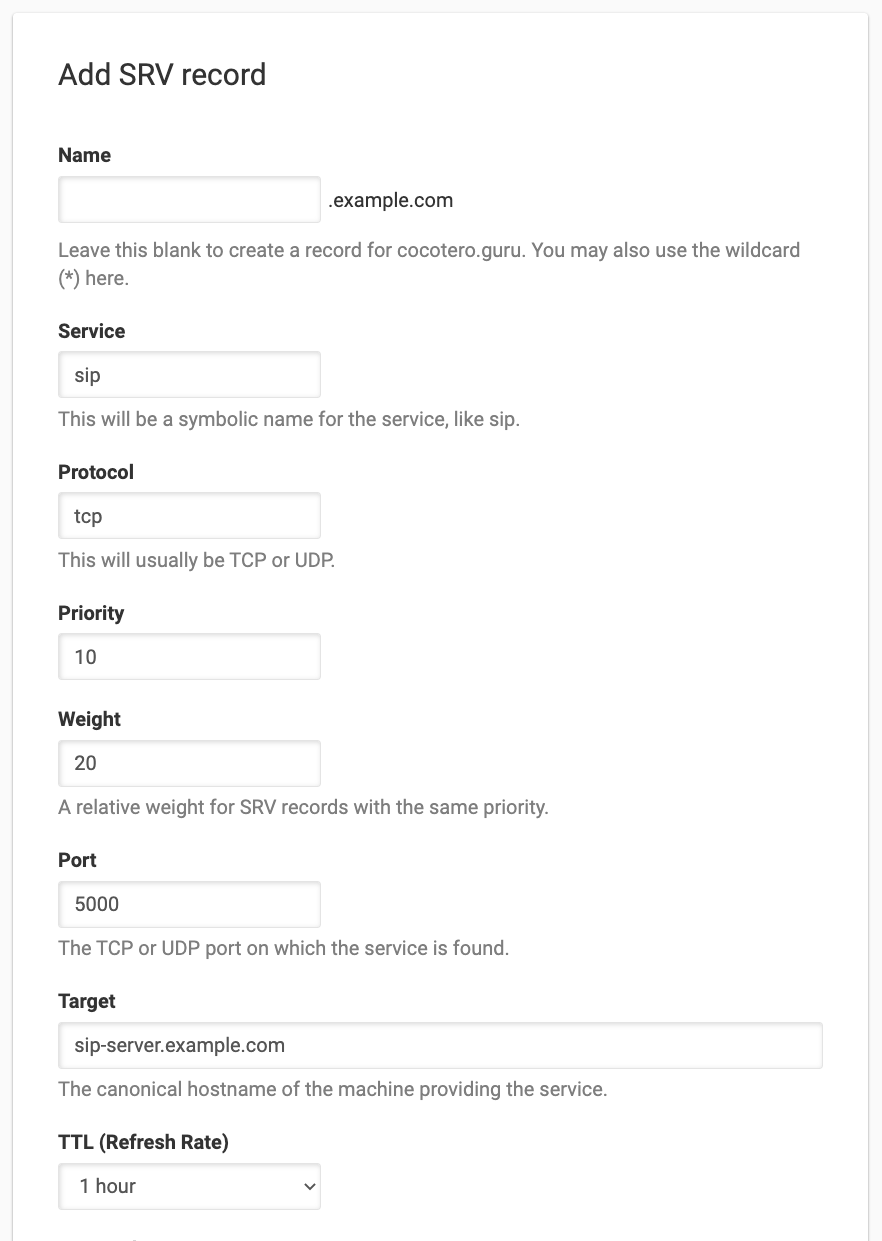
The given example results in this SRV record:
_sip._tcp.example.com. 3600 IN SRV 10 20 5000 sip-server.example.com.
Have more questions?
If you have additional questions or need any assistance with your SRV records, just contact support, and we will be happy to help. You can also read more about DNS hosting at DNSimple.