Enforce Account-Wide Multi-Factor Authentication
Last updated
Table of Contents
- Enabling MFA enforcement
- Disabling MFA enforcement
- Disabling MFA while on an enforced team
- Inviting new members to an MFA-enforced account
- Have more questions?
Multi-factor authentication (MFA) adds an extra verification step when members log in. Enforce MFA on an account to require every member to use it. For why MFA matters, see Account Security.
When multiple users manage an account, enforcing MFA reduces the risk of compromised credentials. This feature is available on Teams plans and higher for accounts that manage members.
Enabling MFA enforcement
You can enable MFA enforcement from account settings.
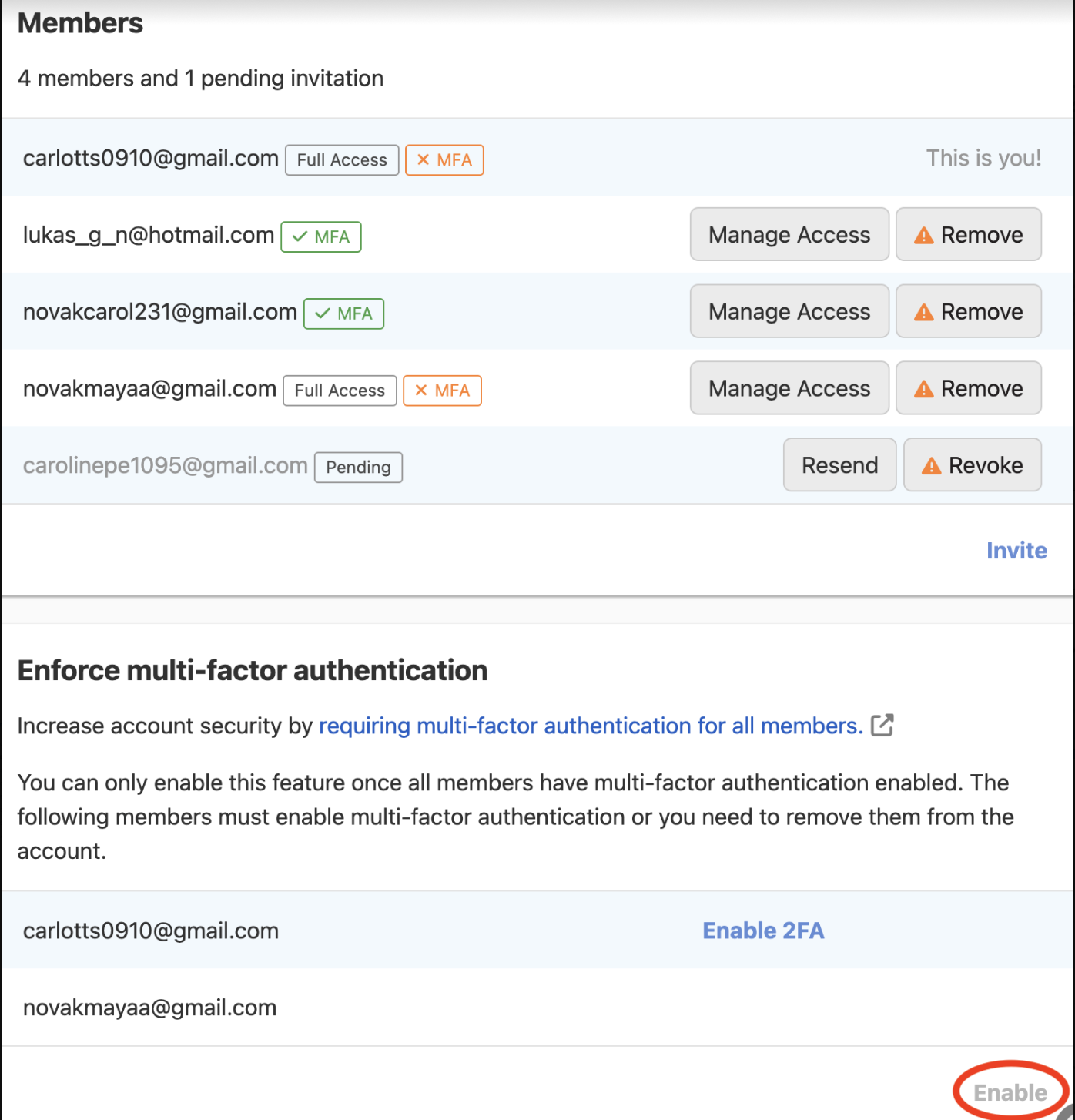
You can only enable MFA enforcement when all members already have MFA enabled. If a member does not enable MFA, remove them from the account to turn on enforcement, then re-invite them. They will be asked to enable MFA before they can join.
To enable MFA enforcement
-
Select the relevant account from the account switcher, then open .
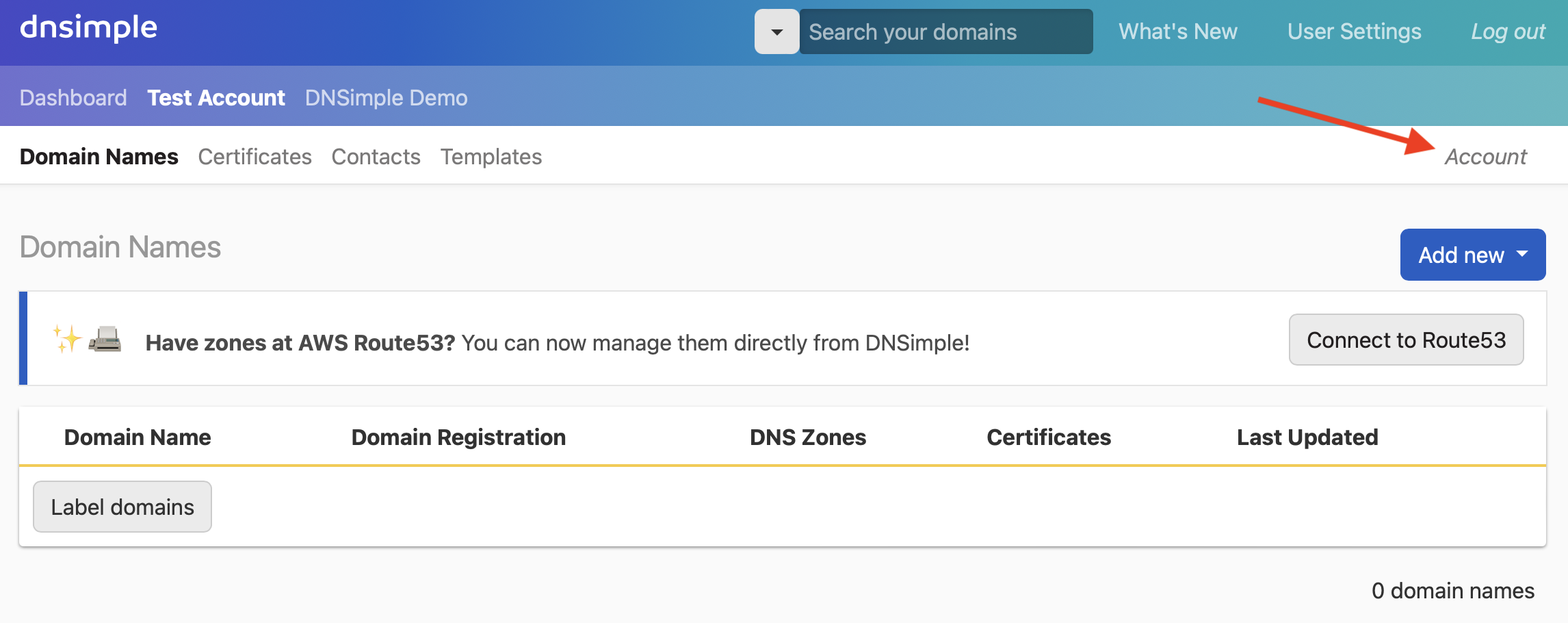
- Select the tab on the left.
-
Scroll to the card. When all members have MFA enabled, you can turn on enforcement.
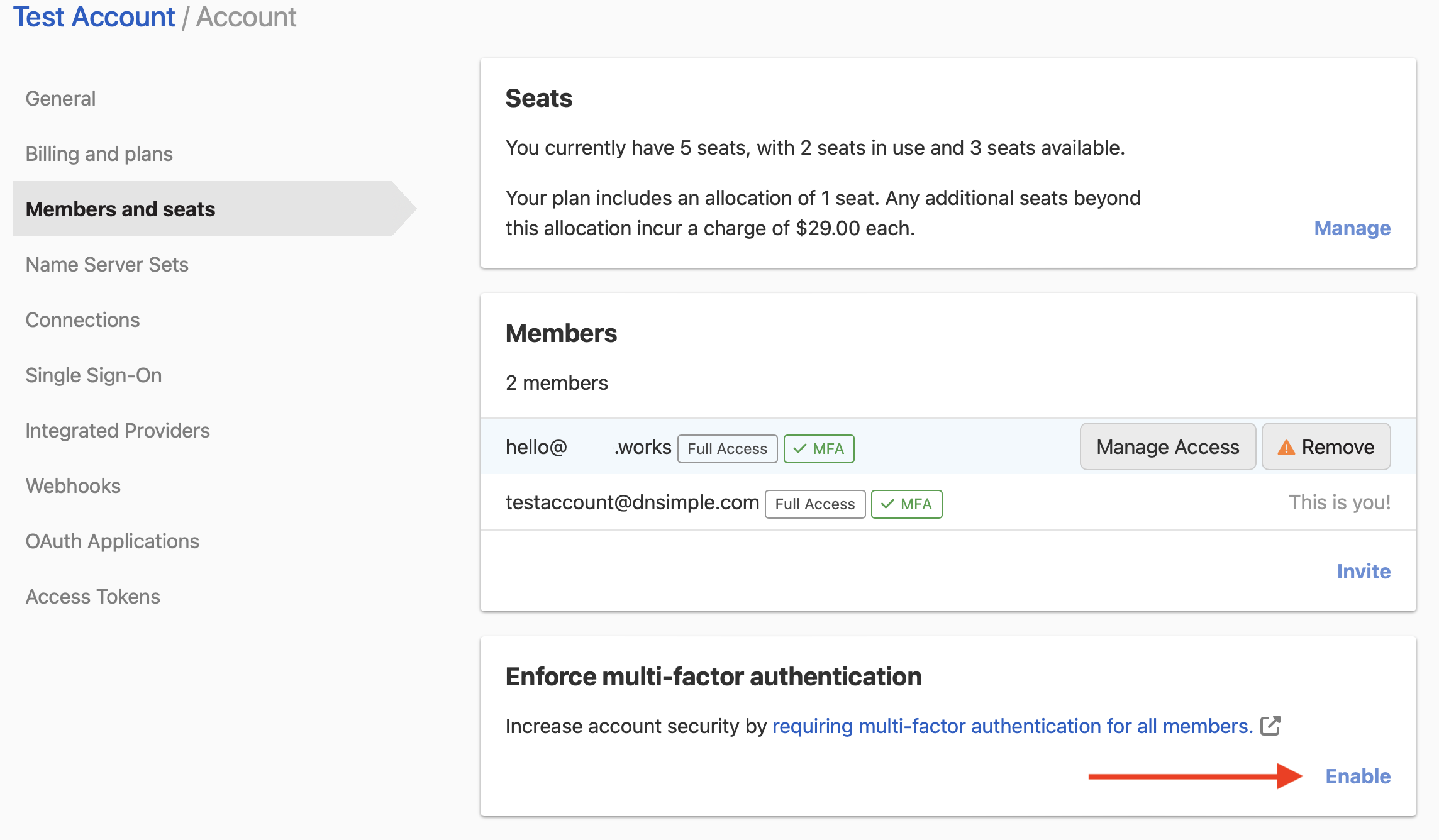
-
If members do not have MFA enabled, you will see a list of non-compliant users. You can remove those members from the card.
Disabling MFA enforcement
To disable MFA enforcement
-
Select the relevant account from the account switcher, then open .
- Select the tab on the left.
-
Scroll to the card, then click .
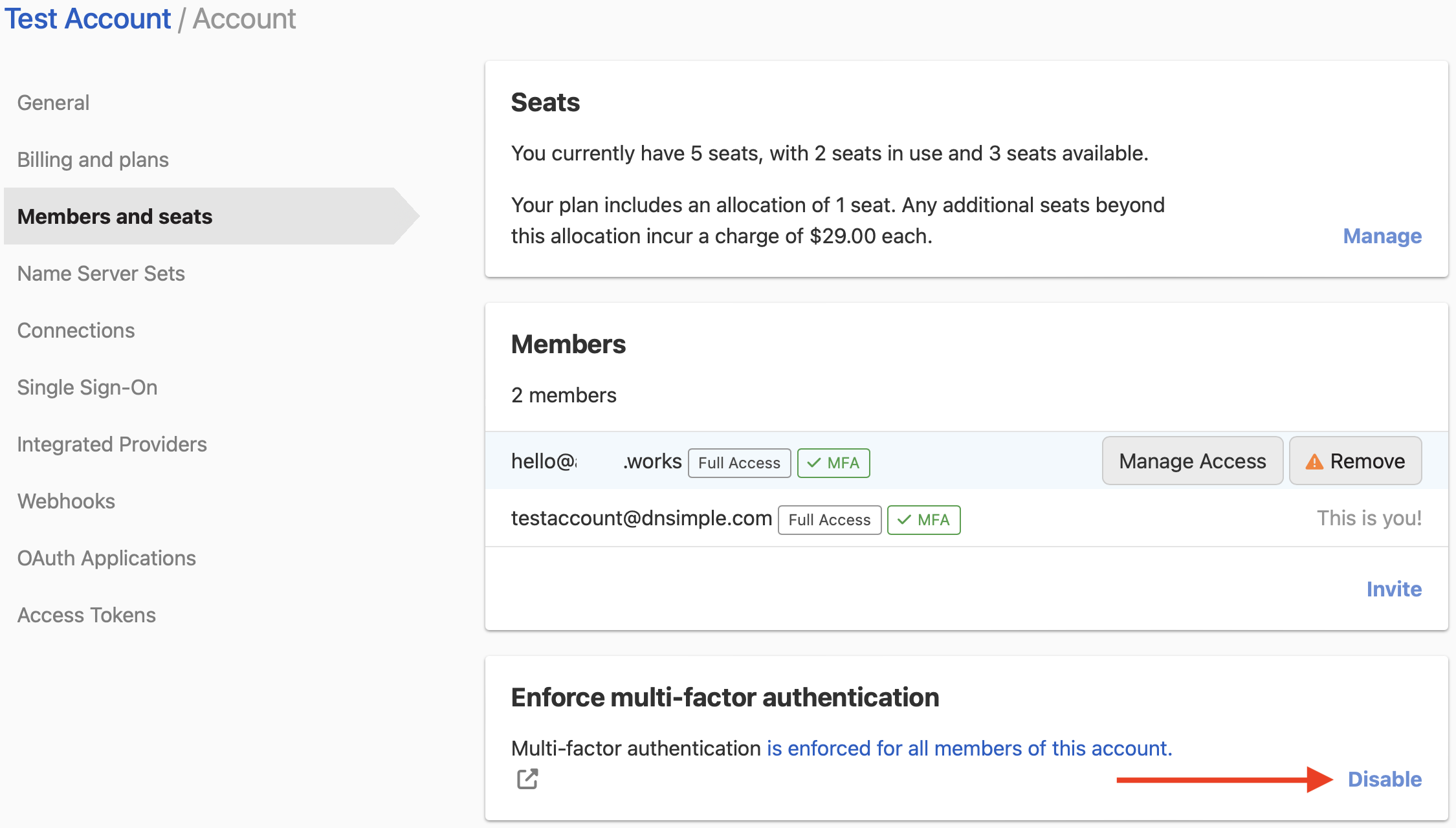
Some accounts must keep MFA enforced because of regulatory policies. On those accounts, DNSimple shows an error when you try to disable enforcement. Contact support if you think this applies to your account by mistake.
Disabling MFA while on an enforced team
You can always disable multi-factor authentication on your user profile. Before you confirm, DNSimple lists what happens to each account that enforces MFA:
- If the account has other administrators, you are removed from the account.
- If you are the account’s only administrator, MFA enforcement is turned off for the account.
Warning
If you disable MFA, these changes happen immediately. Only disable MFA on your user if you no longer need access to those accounts, or if you accept that enforcement will be turned off.
Inviting new members to an MFA-enforced account
You can invite new people to your account without restrictions. When you invite users who do not yet have DNSimple users, they are asked to enable MFA after signup before they can join.
If the user already has a DNSimple user, they can join only when they have MFA enabled.
Have more questions?
If you have questions about enabling or disabling MFA enforcement, contact support, and we will be happy to help. You can also read more about DNSimple Enterprise.