Name Server Management Interface Reference
Last updated
Table of Contents
DNSimple has four interfaces for name server configuration: Edit Delegation, Name Server Sets, Vanity Name Servers, and Zone NS Records. Each applies to a different part of the delegation stack. This page describes what each interface does and what controls are available.
Edit Delegation
The Edit Delegation page controls apex delegation for domains registered with DNSimple. It is the registrar-level interface for updating which name servers the TLD zone lists for your domain.
Location: Domain page > tab > card >
| Control | Description |
|---|---|
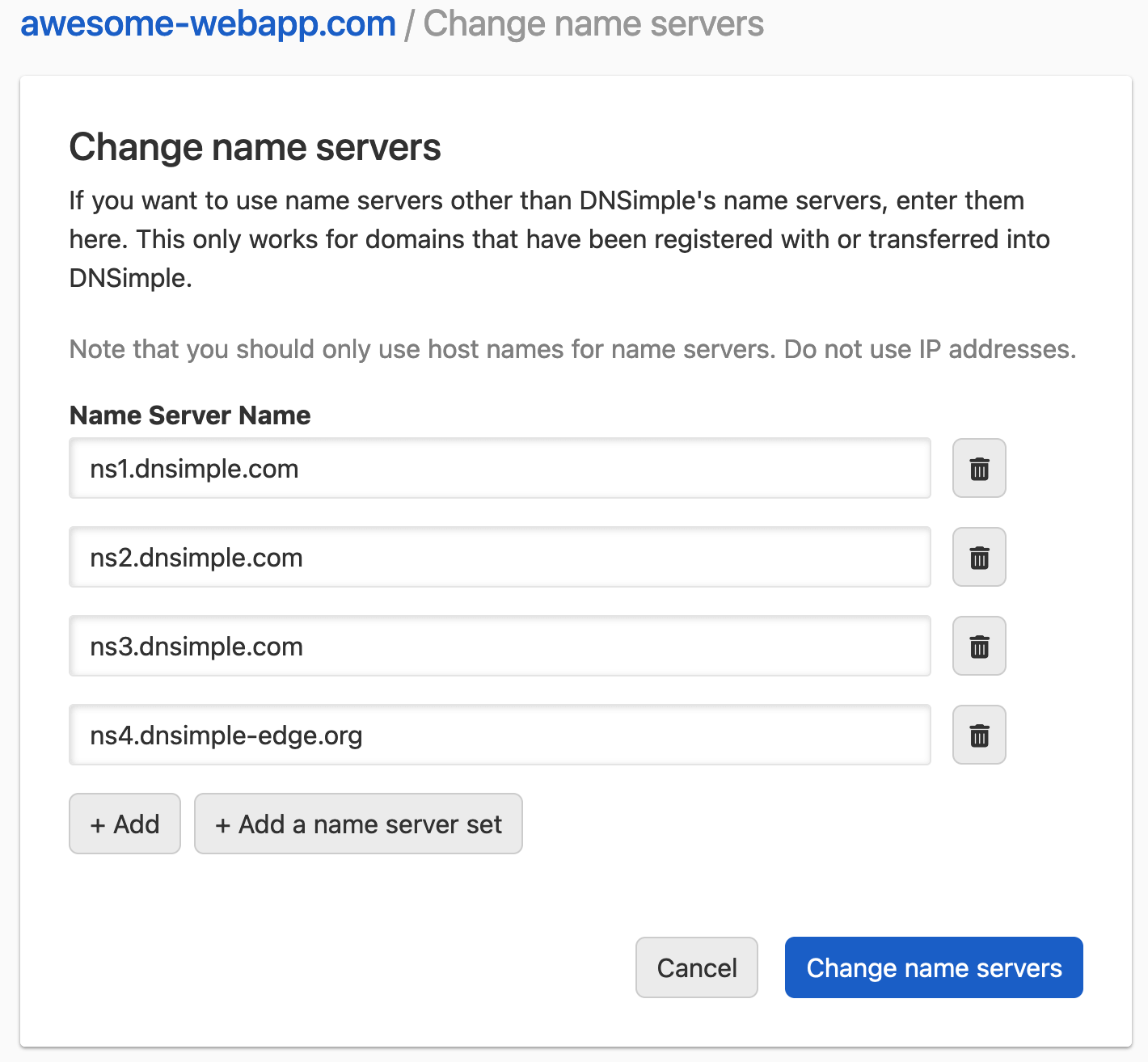
| Name server fields | Enter up to 13 name server hostnames. Most registries require at least two. |
| button | Adds another name server field. |
| button | Populates the fields from a saved name server set. |
| button | Opens the dialog. Its button replaces all name server fields with the four DNSimple edge hostnames. |
| button | Submits the delegation update to the registry. |
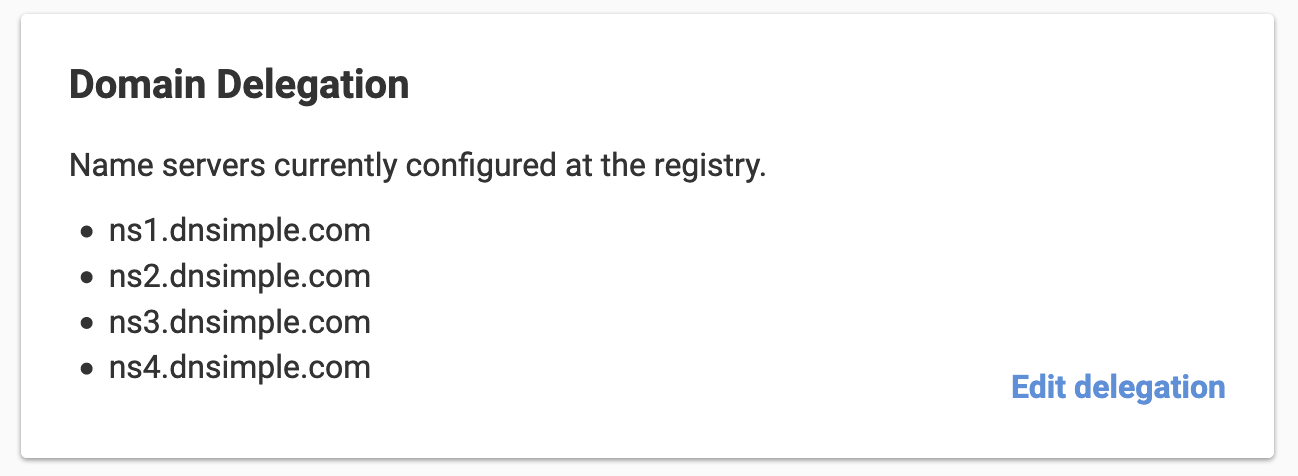
| card | Shows the name servers currently configured at the registry. |
Note
Edit Delegation is only available for domains registered with DNSimple. For domains registered elsewhere, update delegation at your external registrar.
For step-by-step instructions, see Delegate a DNSimple-Registered Domain to DNSimple or Change delegation to another DNS provider.
Name Server Sets
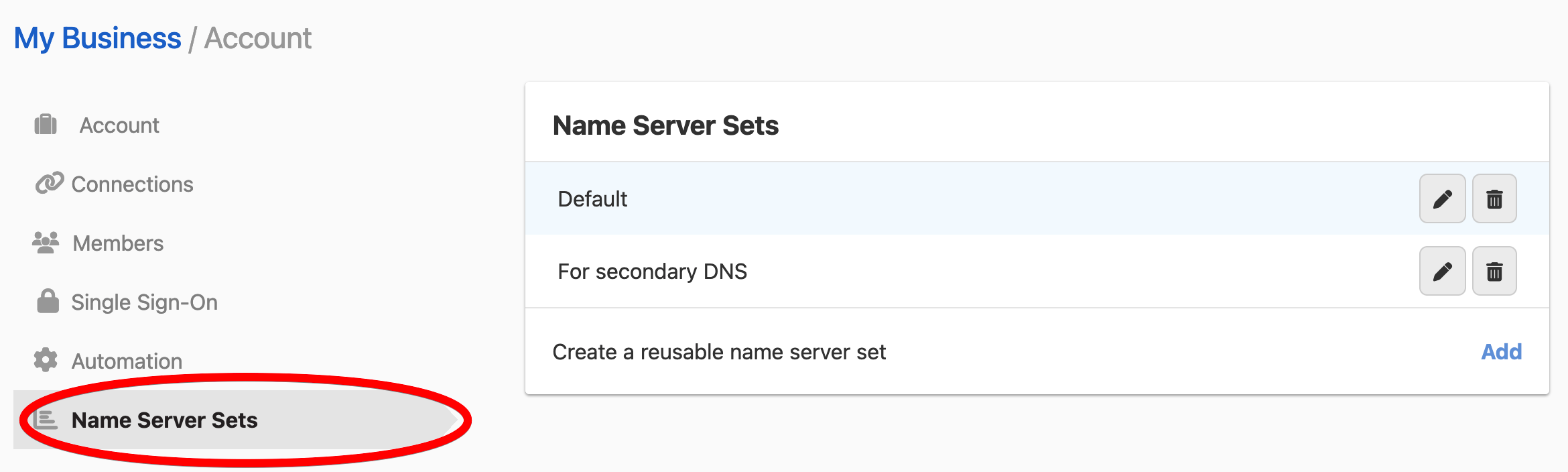
Name server sets are reusable groups of name server hostnames. They can be applied to Edit Delegation, secondary DNS configuration, and zone NS records. Account name server sets are managed from the Account page.
Location: page > tab
Create a name server set
| Field | Description |
|---|---|
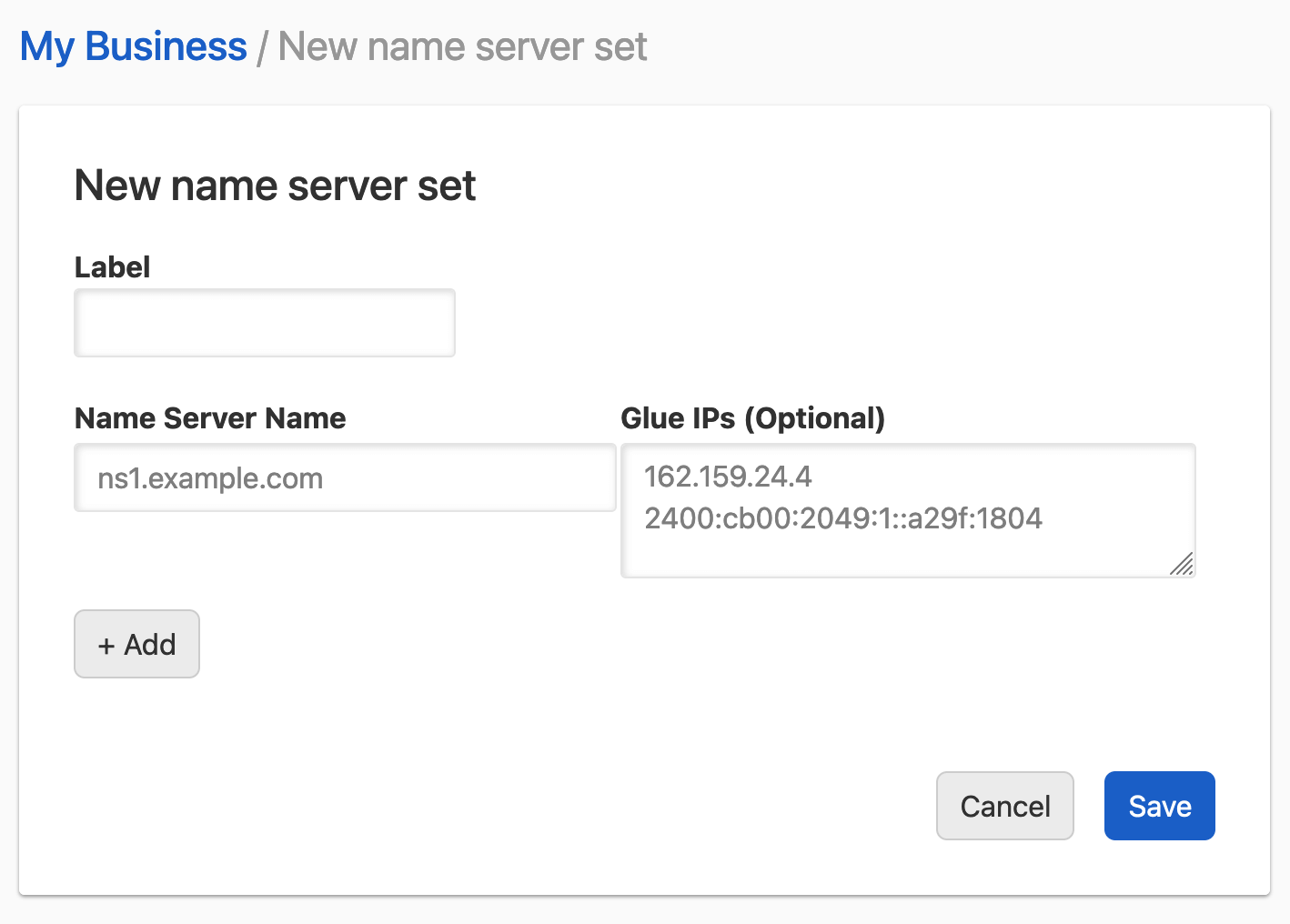
| A unique name for the set within your account. Required. | |
| Hostname | The fully qualified domain name of a name server. A set holds 1 to 13 name servers. |
| (optional) | IPv4 and/or IPv6 addresses for the name server. Used only when updating delegation for domains registered with DNSimple and the name server is in-bailiwick. |
| button | Adds another hostname row to the set. |
| button | Creates or saves the name server set. |
Edit a name server set
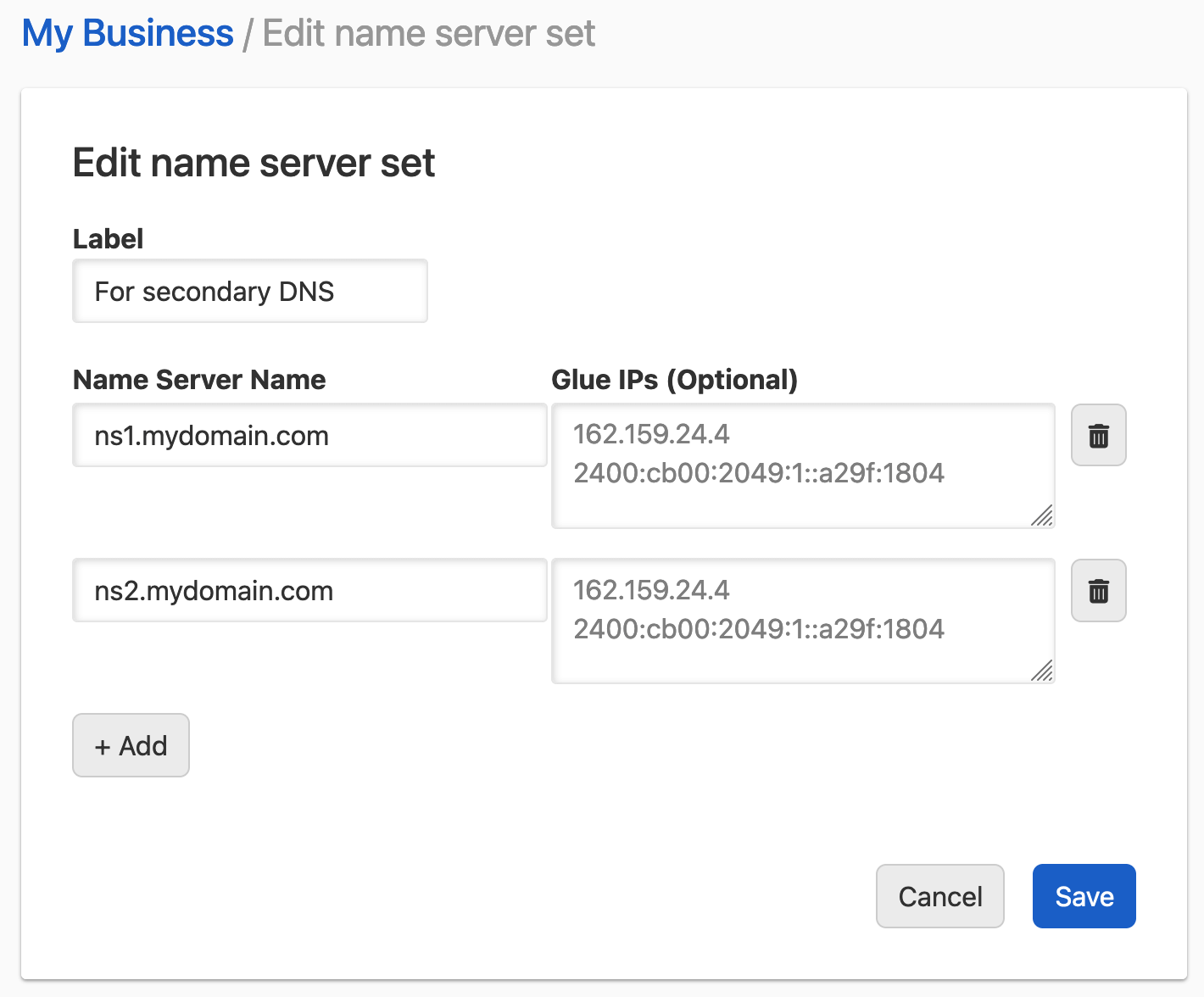
The edit form uses the same fields as creation. Changes to a name server set do not affect existing delegations or configurations that previously used the set.
Delete a name server set
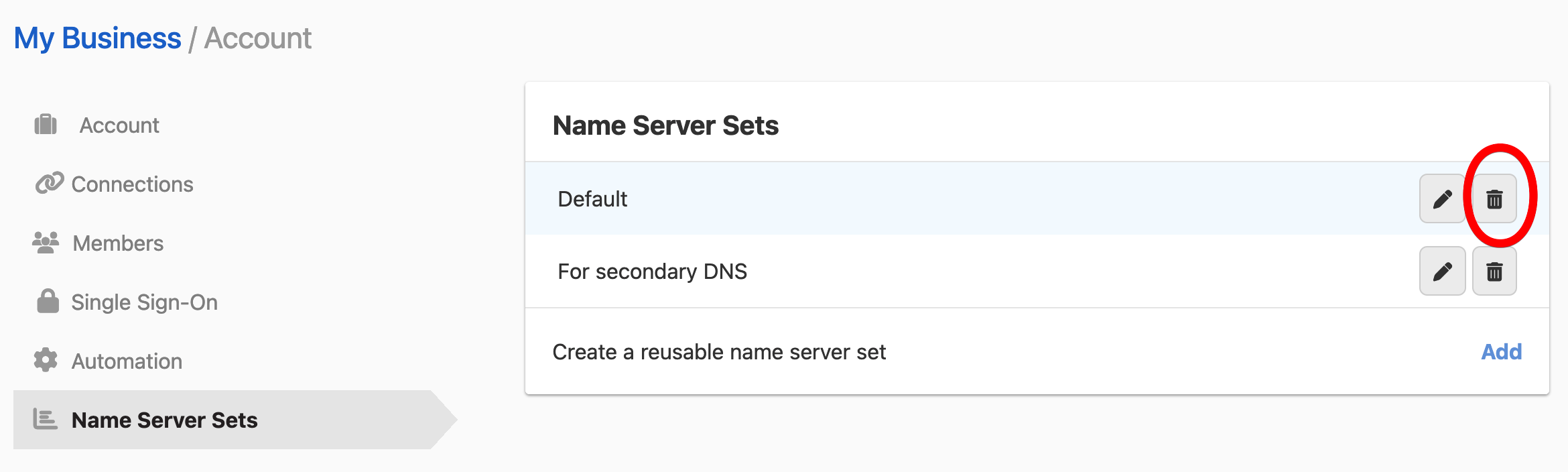
Click the menu at the end of the set’s row, then select , and confirm in the dialog. The set cannot be recovered. Deleting a name server set does not affect existing delegations or NS record configurations that used the set.
Note
System name server sets (containing the DNSimple edge name servers) are pre-defined by DNSimple and are not listed on this page. They cannot be modified.
For step-by-step instructions, see Name Server Sets.
Vanity Name Servers
Vanity name servers let you use custom hostnames within your own domain (for example, ns1.example.com) instead of DNSimple’s default edge hostnames, up to four (ns1 to ns4). This feature is available on Enterprise plans only.
Location: Domain page > tab > Vanity Name Servers section
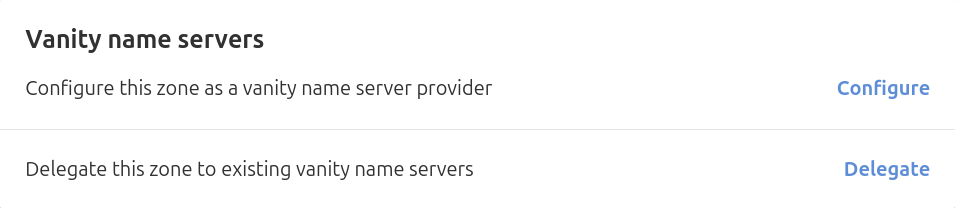
| Control | Description |
|---|---|
| button | Sets up the current domain as the source of vanity name server hostnames. DNSimple automatically adds the required A, AAAA, and (if the domain is registered with DNSimple) glue records. |
| button | Uses an existing vanity name server configuration from another domain in your account. |
After enabling

Once vanity name servers are enabled, the card shows the active vanity hostnames and options to manage or disable the configuration.
| Control | Description |
|---|---|
| button | Removes the vanity name server configuration and reverts to DNSimple edge hostnames. |
Warning
Disabling vanity name servers removes the glue records and A/AAAA records that were automatically added. If the domain is delegated using those vanity hostnames, disable and re-delegate in the same change window to avoid downtime.
For step-by-step instructions, see Manage Vanity Name Servers.
Zone NS Records
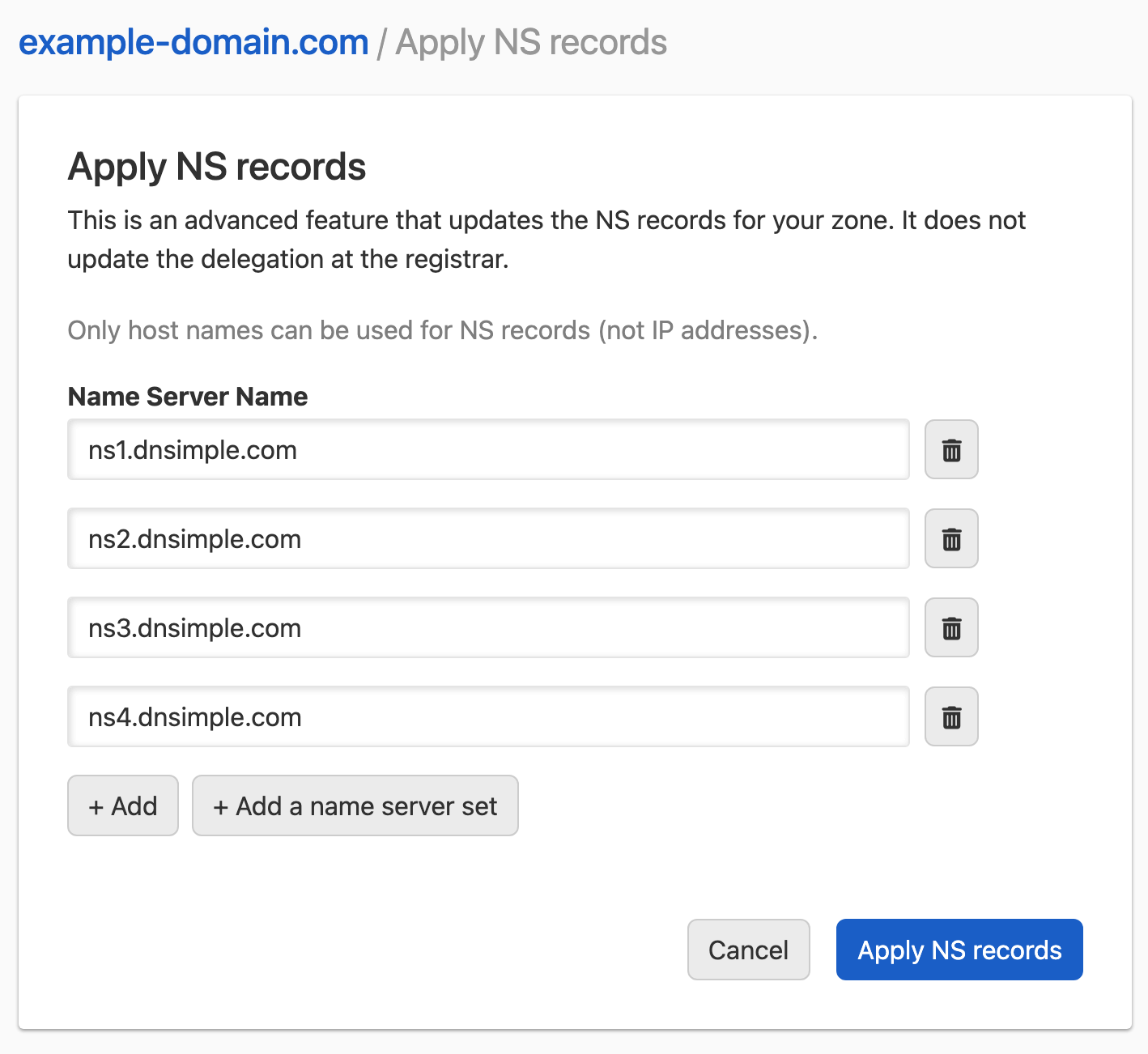
Zone NS records are the NS records published inside your DNSimple zone at the apex. They are separate from registrar-level delegation and are used in advanced configurations such as secondary DNS. For most domains delegated to DNSimple, these records are system-managed and do not require manual editing.
Location: Domain page > tab > card >
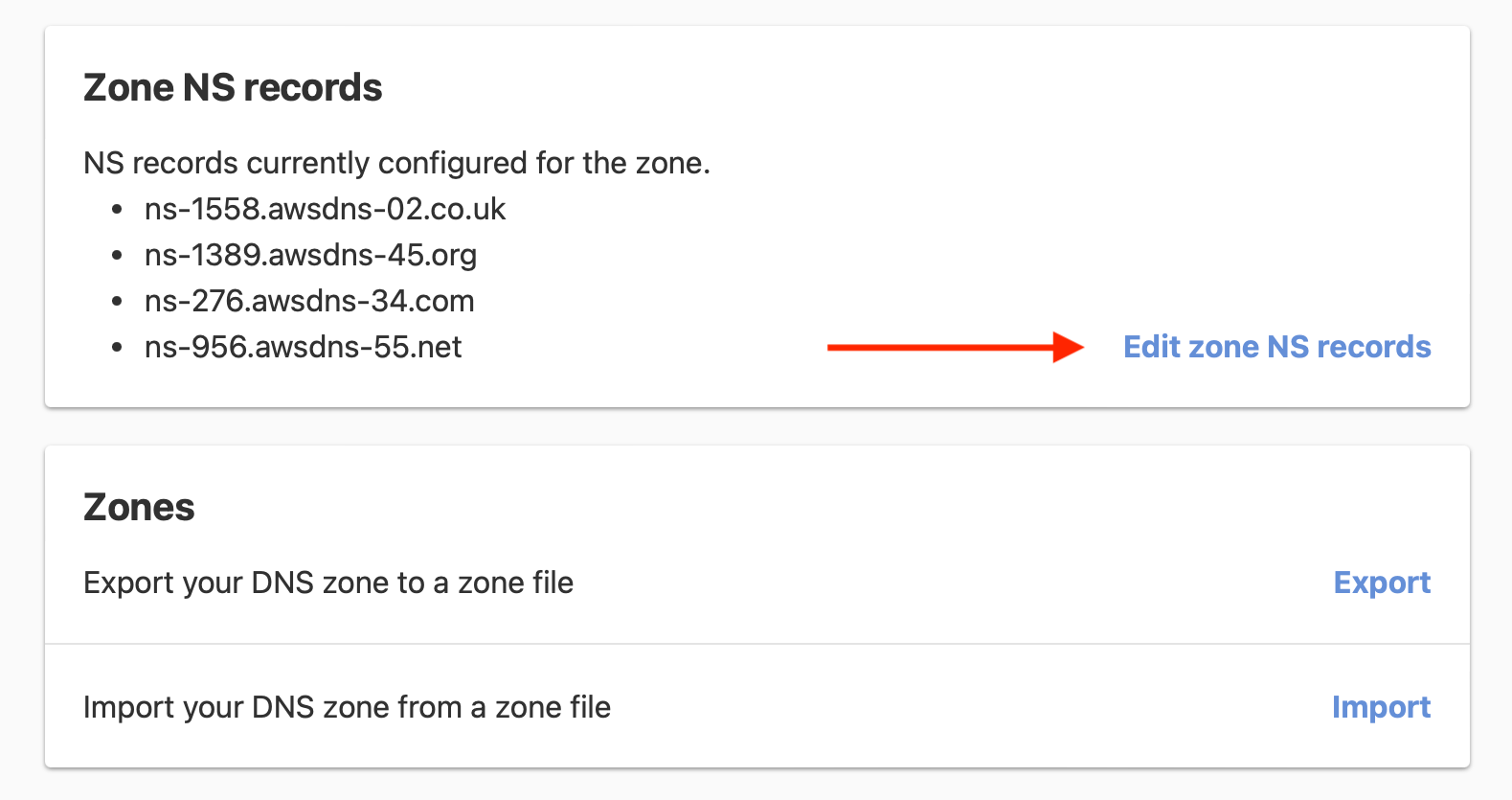
| Control | Description |
|---|---|
| Name server hostname fields | Enter the hostnames to publish as NS records at the zone apex. Only hostnames can be used, not IP addresses. |
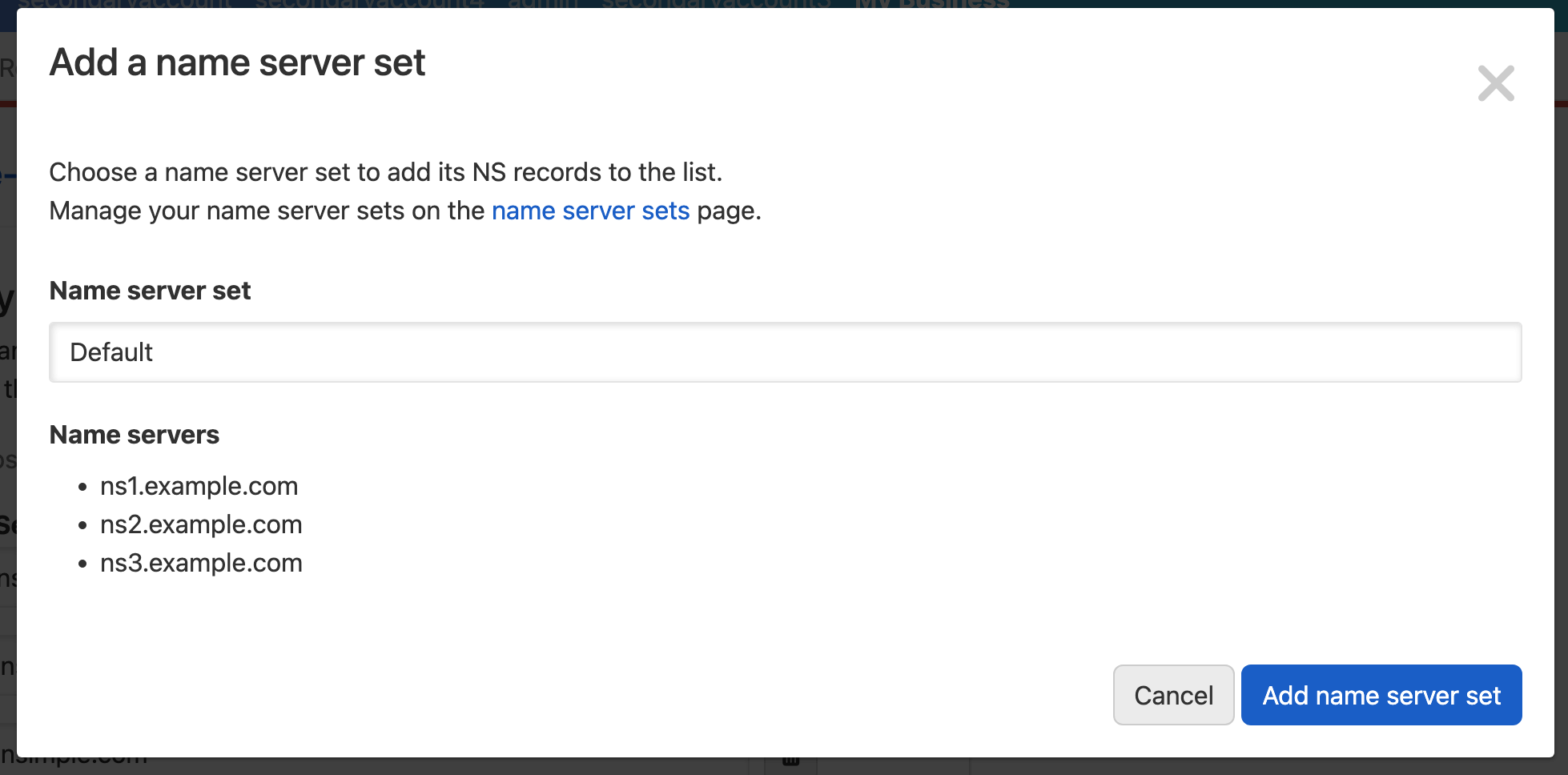
| Populates the fields from one or more saved name server sets. | |
| button | Saves the zone NS records. |
Note
Zone NS record changes only take effect if the domain is delegated to DNSimple at the registrar and has active DNS hosting. Editing these records does not change registrar-level delegation.
For step-by-step instructions, see Updating Zone NS Records for a Hosted Domain.
Have more questions?
If you have any questions about name server management interfaces in DNSimple, contact support, and we will be happy to help. You can also read more about DNS hosting at DNSimple.